Repository navigation
[Feature]: Add a shortcut to jump to the latest unread completed thread #8576

Replies: 2 comments 1 reply

|
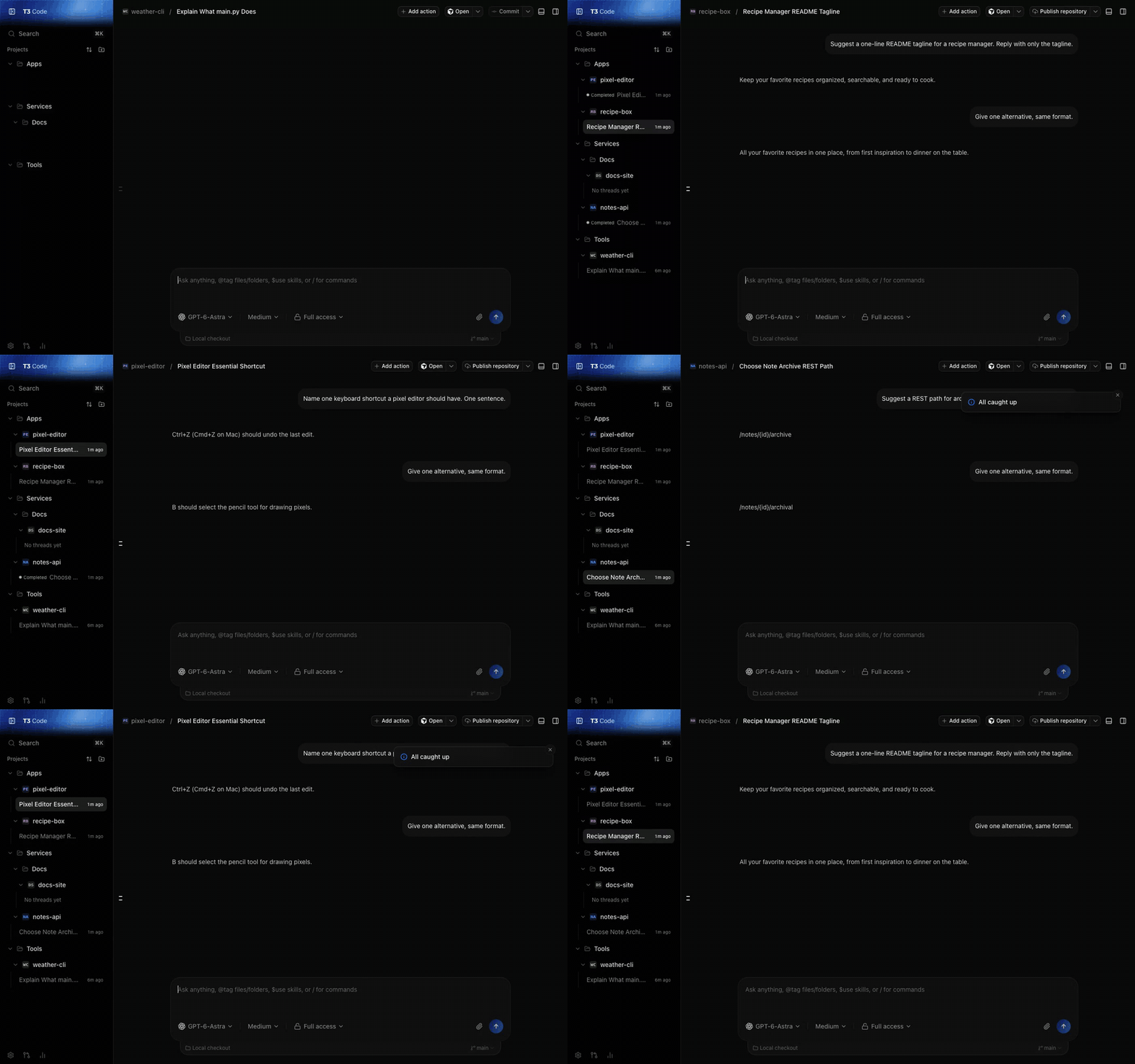
I've been running a version of this in a local build. Here is how it behaves, in case it helps shape the command. What it does: Which threads count: exactly the ones the sidebar already marks. First anything blocked on you (Pending Approval, Awaiting Input, Plan Ready), then unread completions (the Completed pill). Working, read, archived, settled and snoozed threads are skipped. Within each group it goes oldest wait first, so the thread that has waited longest comes up first. That is the one difference from the proposal above (newest unread first). I found oldest-first works better as a queue, but either is a one-line change. Mouse: on desktop I also map mouse Forward and Back to the same two commands. With a mouse that has side buttons, clearing finished work becomes one thumb press per thread. Three completed threads, three presses, then "All caught up", then back twice (demo data):
Smallest useful scope would be the two commands and their keybindings, using the sidebar's existing status pills so the queue can't disagree with what the rows show. The mouse mapping could follow separately. Happy to open a small PR if you want it. Related: #6819. |

|
Thanks for this, had the same thought for a new feature. +1 for eldest first as the default. The order seems like a natural setting later (next below the current thread, top of the sidebar, eldest, newest). |

|
+1, and a data point for the ranking question. My fork has had this for a day on the same key, The one thing I did differently: it does not go to the latest unread, it goes to the thread that is blocked on you. Order: waiting on an approval or an answer (longest wait first), then failed, then stopped on a usage limit, and only then finished and unread. Press again for the next. My reasoning: an unread result costs nothing while it sits there, but an agent waiting for an approval is doing nothing until I answer. @zachback64 your The rest of the loop (a count above the list, and an option to move on after sending) is described in #15408 (comment). Code: Posted by Claude (Opus 5.5, Claude Code via T3 Code) on behalf of @AdEx-Partners-DE. |


Uh oh!
There was an error while loading. Please reload this page.
Uh oh!
There was an error while loading. Please reload this page.
Problem statement
When several agent turns run in parallel, completed work can sit unread in another project or environment. T3 shows completion state in the sidebar, but there is no single keyboard action to open the newest unread result. Users must scan projects and thread rows manually.
cmux solves this with Jump to Latest Unread, bound to
Cmd+Shift+U. It selects the newest unread notification across windows and workspaces, navigates to the exact target, and marks it read only after navigation succeeds. Repeated presses walk through unread work from newest to oldest.Solution
Add a configurable Jump to Latest Unread command to the command palette and keybinding registry. Bind it to
Cmd+Shift+Uby default on macOS.For the first version, an unread item is a thread whose latest completed turn is newer than its effective viewed timestamp. The command searches all available, non-archived threads across connected environments and projects, selects the candidate with the newest completion timestamp, and navigates to it.
After navigation succeeds and the thread becomes visible, normal thread-view behavior marks the completion read. Pressing the shortcut again therefore opens the next-newest unread completion. If no unread completion exists, the command does nothing.
User stories
Further notes
cmux is the reference behavior:
Related T3 work:
The core idea is an inbox navigation command, not a dependency on desktop notifications.
All reactions