


This is a modern, full-featured port of Ghost's default theme Casper for Jekyll / GitHub Pages.
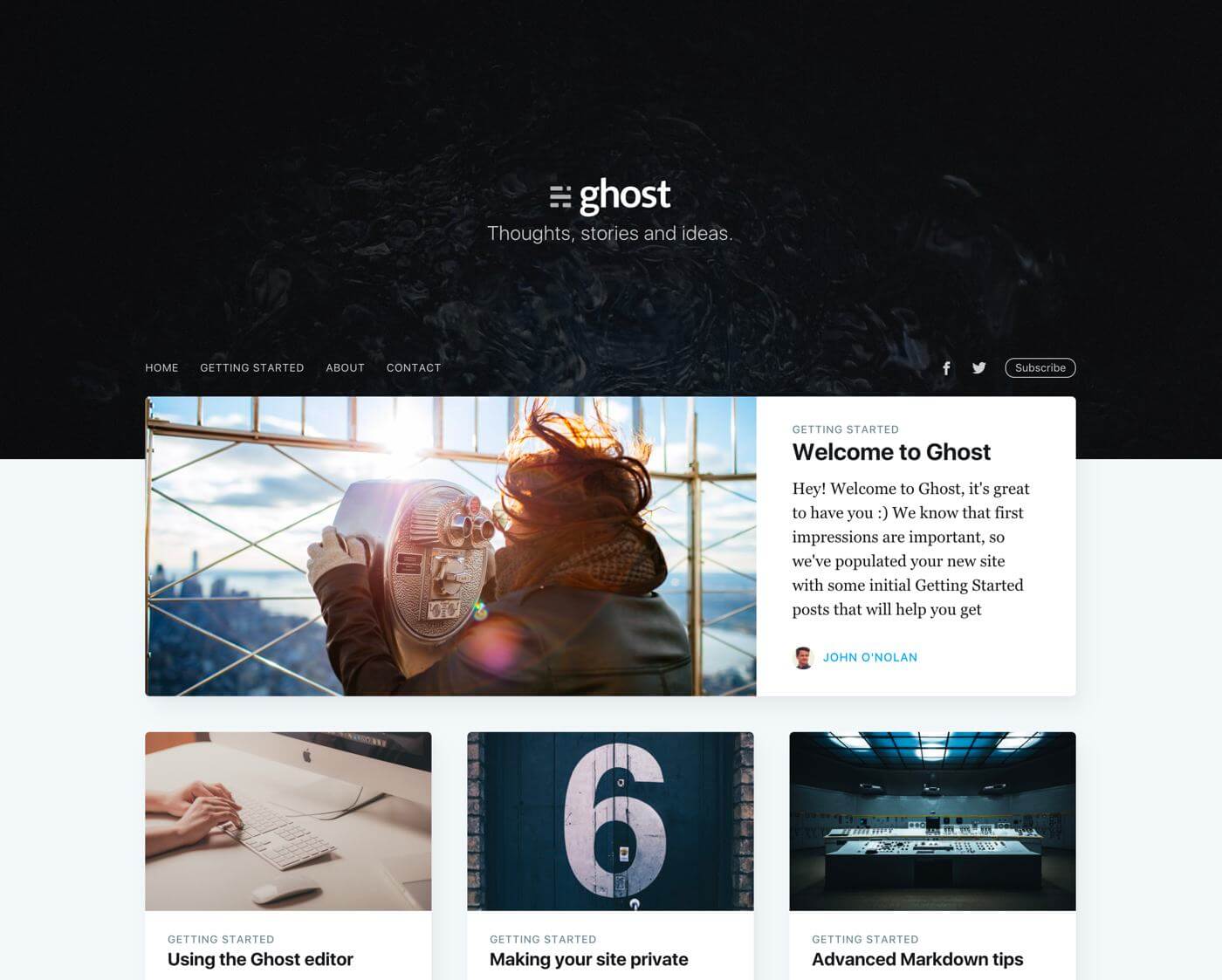
- Pure Ruby/Jekyll Stack: Upgraded to Jekyll 4.4 and
jekyll-sass-converter. No Node.js, NPM, or Gulp required! SCSS styles compile natively during Jekyll builds. - Dark Mode: Beautiful, responsive dark mode support with a theme toggle switch (persisted in
localStorage). - Netlify CMS Integration: Out-of-the-box support for Netlify CMS admin dashboard (
/admin/) usinggit-gateway. - Conditional Search: Powerful search engine integration powered by Algolia. The search interface and icon hide automatically if no credentials are set in
_config.yml, preventing JavaScript errors. - Multiple Authors: Support for multiple authors out of the box (configured in
_data/authors.yml) with full profile information (avatar, bio, links). - Tag Pages: Custom covers and descriptions for tag pages (configured in
_data/tags.yml). - Post Navigation: Next/Previous post suggestions and related posts at the bottom of each post.
- Disqus Comments: Corrected, post-specific Disqus comment thread integration.
- Google Analytics & Feeds: Integrated Google Analytics (UA/GA4) and Atom feed generation.
Deploy your own copy of this blog template to the cloud with a single click:


-
Clone the repository:
git clone https://github.com/AntonyLeons/jasper2.git cd jasper2 -
Install Ruby gems:
bundle install
-
Serve locally with live-reload:
bundle exec jekyll serve --livereload
Open http://localhost:4000/jasper2/ (or your configured baseurl) in your browser. Any changes to markdown posts, HTML layouts, or SCSS files will compile and refresh automatically.
There are several ways to deploy your site:
-
GitHub Pages (via GitHub Actions): Builds the site automatically on push using GitHub Actions and deploys the contents of
_site/to yourgh-pagesbranch. See.github/workflows/jekyll_build.ymlfor configuration. -
Netlify: Highly recommended for static hosting. Netlify links directly to your repository and rebuilds on every push. A preconfigured
netlify.tomlis provided:- Build command:
bundle exec jekyll build - Publish directory:
_site
- Build command:
-
Traditional Hosting: Simply build the site locally with
bundle exec jekyll buildand upload the contents of the generated_site/folder to your server.
Rename the author field in the front matter of your posts to match the author's username defined in _data/authors.yml. Profiles support:
nameandbiolocationandurl_fullpictureandcoverimagesx_username/twitter,facebook, andgithubaccounts
This theme includes instant search powered by Algolia.
To enable search:
- Create a free index in your Algolia Dashboard.
- Add your public keys to
_config.yml:algolia: application_id: 'YOUR_APPLICATION_ID' index_name: 'YOUR_INDEX_NAME' search_only_api_key: 'YOUR_SEARCH_ONLY_API_KEY'
- Set your secret Admin API Key as the environment variable
JEKYLL_ALGOLIA_API_KEYon your hosting provider (like Netlify, Vercel, or Cloudflare Pages) so the build pipeline can upload your posts index automatically.
To disable search:
Comment out or delete the algolia block in _config.yml. The search bar and icon will be automatically hidden from the header with no JavaScript console errors.
To enable Disqus comments on post pages:
- Register your site on Disqus and copy your Disqus Shortname.
- Open
_config.yml, setdisqus: Trueand fill in your shortname:disqus: True disqus_shortname: your_disqus_shortname
To disable comments, simply set disqus: False.
Styles are written in SCSS and compile automatically.
- Global variables, colors (including light/dark mode properties), and typography are located in
_sass/_global.scss. - Layout components are structured in
assets/css/screen.scssand custom post/syntax highlighting styling inassets/css/syntax.scss.
If you run into any problems or have feature suggestions, please log them on the issue tracker. Feel free to submit pull requests with bug fixes and features!
Same license as the one provided by Ghost's team. See Casper's theme license.
Copyright (C) 2015-2026 - Released under the MIT License.