Build Tracking
Build Tracking can be done in two ways: On build or On upload. On build will increment the build number before starting every build, causing every new version you test to have its own build number. On upload will only increment the build number on the first build after a succesful upload, causing every new build you do after an upload to have the same build number, until a build is then uploaded again.
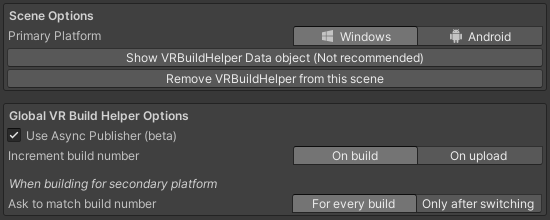
The build tracking system was designed to use the same build number on both platforms (that being PC and Android). This number can then be used to detect world updates at runtime, and detect a version mismatch when loading into the world, or when a new player joins the world (See World Update Detection - Udon Link). For this system to work correctly it is very important that the build number on the "live" version of your world matches between the PC and Quest version. The easiest way to achieve this is to use the Autonomous Uploader to upload for both platforms simultaneously when you make any changes - this will make sure both builds have the same build number. Alternatively, whenever you aren't building for your primary target (configurable in settings), you will be asked if the build you are doing should have the same build number as the last build for your primary target.