


Rusty Trucks is a custom flavor of the Skate 3 Rust Engine, the Rust and Bevy rewrite of Skate 3. It's where I build and try out new things before they head upstream: a living city to skate through, Skate 3's own menus, the instant replay, your DLC, and now career mode and challenges. The hails-additions branch is the rolling build, so whatever I'm working on lands here first.
Why the name? It's written in Rust, and trucks are the bits that hold your wheels on. It felt right.
Heads up: this is an early alpha. Things will break, and I'd love to hear about it when they do (see What to test). You'll need your own Skate 3 Xbox 360 disc image; no game files are included here.
- It should feel like Skate 3. I port systems from Skate 3's own code (read through the skate3recomp recompilation and Ghidra) instead of guessing how they work. Anything I haven't worked out yet is marked "NOT RETAIL YET" until I have.
- Your disc, your game. Every value, model, sound and menu movie comes from your own disc during setup. Nothing from the game lives in this repository.
- Made to be modded. Every system gets a Lua entry point (the mod SDK, API 2) from day one, and the disc's values are just defaults a mod can change. If you want to build something on top of it, I want that to be easy.
- Ready for skating together. New systems are written so they can be shared between players later (stable ids, events that can go over a network). There's no multiplayer yet, but I don't want to paint us into a corner.
- Give it back. Every change gets a write-up in
docs/hails-additions/with the evidence and the tests, and goes to the upstream project as a pull request.
The easiest way in is the Skate launcher:
- Grab
skate-launcher.zipfrom the hails-additions release and extract it into a folder of its own. - Install it: on Windows double-click
INSTALL.bat, on macOSINSTALL.command, and on Linux open a terminal in the folder and typesh install.sh. It downloads the Skate launcher for your computer and starts it. - Pick a game folder and your Skate 3 ISO (or an extracted folder with
default.xex). Your first play downloads the newest build and converts your disc once, so give it a little while. - After that it keeps itself up to date and saves a session log for every game you play.
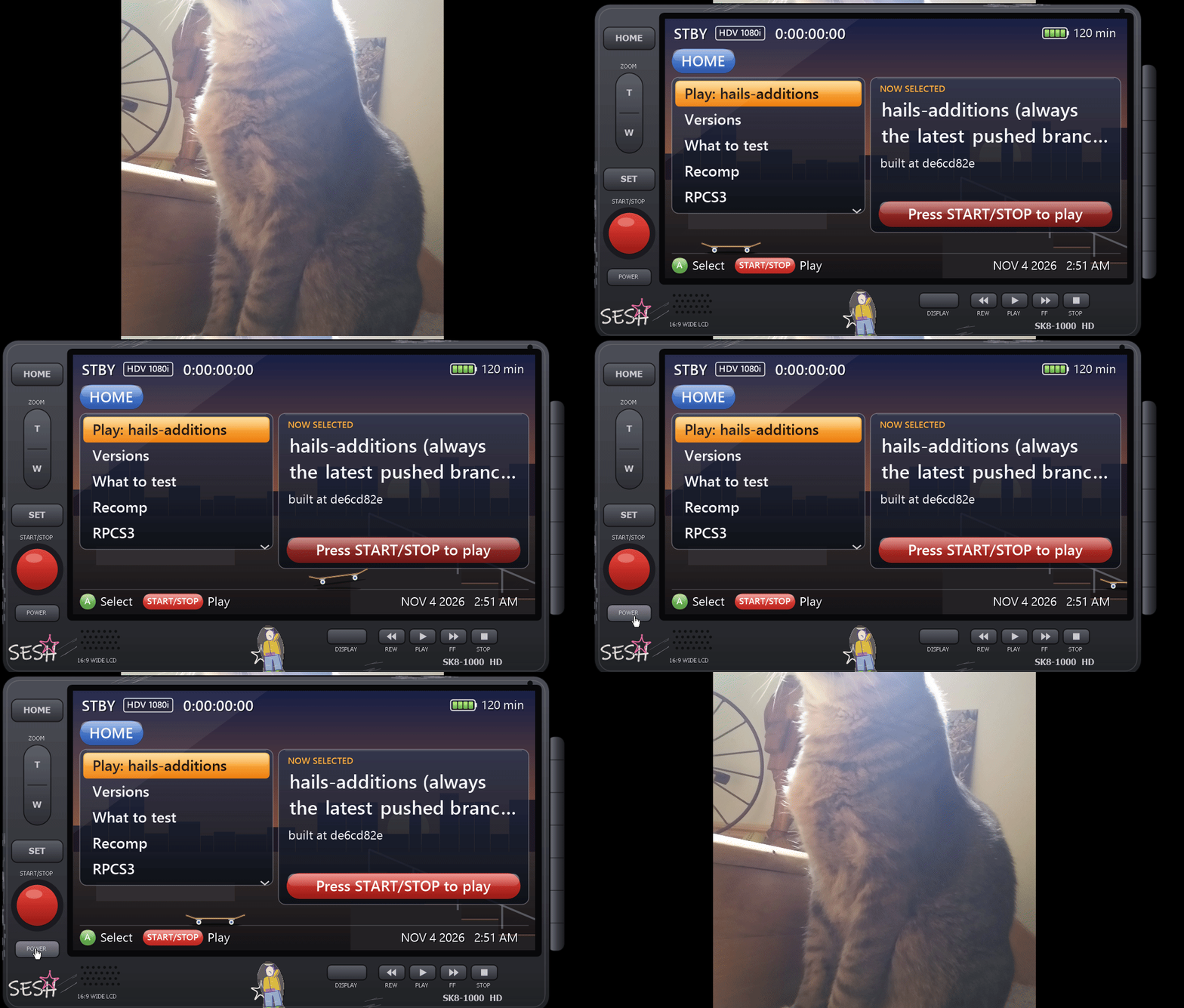
The launcher (tools/steam-launcher) is styled after the flip-out screen of a mid-2000s camcorder (how it's made). Add it to Steam as a non-Steam game and you can start everything from the couch with a controller. It can also run upstream main, open pull requests, the recomp and retail Skate 3 in RPCS3 side by side, which is handy when you want to compare.
Rather skip the launcher? On Windows, download skate3rust-windows-x64.zip from the same release, extract it and start PLAY-WITH-LOG.bat; Linux and macOS have their own packages there. The full setup guide is in the release notes.
You'll need Windows 10 or 11 (64-bit), Linux (64-bit) or macOS (Apple Silicon), a controller (Xbox, PlayStation, Switch or generic) and about 15 GB free. Linux and macOS are new and nobody has played them yet, so I'd love to hear how they go.
Everything here is in the hails-additions build, and the release notes go into detail on each one.
- A living world: NPC skaters riding Skate 3's recorded lines, pedestrians going about their day (benches, phone calls, warnings, chases) who stop to watch and cheer when you skate well, traffic you can skitch, and props you can push, carry and grab.
- Skate 3's own menus: the pause menu, Game Settings, the Trick Guide with its 3D demo, Extras with cheat codes, Skate Profile and the Challenge Map.
- Free Play: Spawn Skater (play as someone else, or call up to three skaters to ride with you), traffic and pedestrian density, and the HUD minimap.
- The loading screen: Skate 3's tips screen, with Coach Frank and your career stats, while a map loads.
- Instant replay: the last 90 seconds of the whole world with sound, the replay editor, and Save to PC.
- Your DLC: the DLC maps, Challenge Map folders, skate.Park layouts and teleporters from the packs you own.
- World shading: Skate 3's lightmaps and shaders for fences, signs, billboards, traffic lights and trees, and props that sit in a building's or bridge's shade the way they do in Skate 3.
- Audio: Skate 3's audio engine, ported natively, with audio modding.
- Music: Skate 3's soundtrack from your disc, the Music Player (Playlist Mode or Interactive Mode with the map's music zones and race music), and Custom Music to play your own songs.
- Stream-safe mode: for streaming and recording. In the launcher, go to Tools and press Stream-safe mode: it downloads free-to-use music (every artist credited), plays it instead of the soundtrack, and writes a
CREDITS.txtyou can paste into your stream or video description. The Music Player lists those songs so you can pick one or turn some off, and the Guide / F1 / Esc menu gets a Skip Song button while they play. - Career mode and challenges (still being built, behind the Career and Challenges opt-in): own the spot, races, contests, follow the leader, films, Hall of Meat and all 12 Skate 101 tutorials, signed up for the Skate 3 way, with the career, your team and the Skate Profile page. A new career starts like Skate 3's: the intro movie, Press Start and the welcome (difficulty, camera, team name, Coach Frank).
- Every OS: the game builds for Windows, Linux and macOS, and the Skate launcher is now one app for all three.
- Opt-ins: anything that's off by default or not quite Skate 3 lives in one place, the Opt-Ins section of the Guide / F1 / Esc menu.
- Already upstream: the audio engine, water, retail map spawns, trigger volumes, camera angles, SDL3 gamepads, grind bails at rail bends, see-through fences and the retail menus foundation started here and are now in upstream
main.
- Career mode and challenges (upstream draft #68, behind the Career and Challenges opt-in): every challenge kind plays now, from own the spot to films and Hall of Meat, and a new career starts with Skate 3's own intro and welcome. Next up for challenges: the filmer camera and the highlight reel for films.
- Create-a-Skater, Skate 3's own screen (behind
SKATE_RETAIL_CAS=1for now). Today's goals:- Your skater stands still on the set, swaying like in Skate 3 (no more jumping around)
- Facial hair and eyebrow styles
- Edit Style: stance, style and posture, plus the Trucks and Wheels sliders, all saved and used when you skate
- Gestures: pick the four gestures for your D-pad
- Hair styles
- Colors: hair, eyes and skin (with the color squares in the menu)
- Colors: facial hair, clothing and boards
- Skin tone (it is the Skin Color row, light to dark)
- Face and body shape sliders
- Tattoos: pick a spot and a design, then move, scale and turn it (design pictures still to come)
- Your skater shows each gesture as you pick it
- NPC skaters: finishing their landings, spins and grab releases.
- Further out: the pros at their challenge spots, the Object Dropper, and multiplayer.
Curious where things stand upstream? The living world, menus, replay and DLC are in #52; career mode and challenges are in #68.
This is where you can help the most. A few things I'd love a second pair of eyes on:
- Map switches and Challenge Map teleports: does the loading screen show up and hand you back cleanly?
- Free Play's Spawn Skater and the minimap.
- The instant replay and its editor (Back / F6, then A). Does your replay look like what you actually did?
- DLC maps and teleporters, if you own the packs.
- Pedestrians and NPC skaters: anyone floating, getting stuck or riding backwards?
- Carrying and pushing props (hold RB next to a bench or bin). Does it feel like Skate 3?
- Skate 3's menus (press Start).
- New: turn on Career and Challenges in the Opt-Ins and start a new career: does the intro and welcome feel like Skate 3's? Then ride up to any challenge and press D-pad Up: own the spot, a race, a contest, follow the leader, a film or a Hall of Meat, and the Skate 101 tutorials. How close does it feel to the real thing?
- New: Options > Music Player, and the soundtrack in Interactive Mode. Does the music feel like Skate 3's?
- New: Stream-safe mode (launcher > Tools). Do the songs and their names show up, can you pick and skip songs in the Music Player and with Skip Song, and does the soundtrack stay quiet everywhere (menus, replays, contests)?
- New: props in shade. Push a bench or bin under a bridge or next to a tall building: does it darken like the ground around it?
Found something? Every game the launcher starts saves a session log (without the launcher, use PLAY-WITH-LOG.bat). Tell me which opt-ins were on and roughly when and where it happened, attach the log (and a short video if you can) to a test report, and I'll dig in. One problem per session makes it much easier to track down.
Before this rewrite existed, dumbad spent more than two years reverse engineering Skate 3 and building the tools needed to understand and work with it. That meant countless hours digging through undocumented file formats, animation data, and game interaction systems, then testing those discoveries in the original game. Much of that work is collected in DumbadsSkate3ModdingTools, including tools for custom maps, meshes, collision, challenges, and DLC.
That research laid the groundwork for this project. Chasm later worked on a recompilation and a custom renderer based on dumbad's earlier renderer work, before moving into the Rust/Bevy rewrite. The rewrite's development time tells only part of the story: the knowledge and tools it relies on took years of work to establish.
AI coding tools were used to develop this rewrite, but none of it would have been possible without dumbad's extraordinary effort to reverse engineer the original game. The AI had years of hard-earned research and working tools to build on. Describing the project as simply “AI rewriting Skate 3” leaves out the work that made it possible in the first place.
AI helped turn that knowledge into a new implementation; it does not replace credit for discovering how the game works. This is still a work in progress, and using original assets or showing working tricks does not mean every system behaves exactly like the original.
On Windows, install Rust with the MSVC toolchain and LLVM in its default
location. Run BUILD.bat to build, then PLAY.bat to launch the test world.
PLAY.bat opens your saved map (University by default); use the in-game menu to switch maps, or drag a .skate file onto PLAY.bat. An SDL3-compatible gamepad is required for gameplay;
Escape opens difficulty and graphics settings.
On Apple Silicon macOS and on x86_64 or aarch64 Linux, nix develop (Nix with
flakes enabled) provides Rust, the C/C++ compiler and linker, CMake for SDL3,
Python with the setup packages, extract-xiso, vgmstream, and the runtime libraries.
flake.lock pins these dependencies. On macOS it also supplies the Apple SDK:
engine builds use Nix's Clang and Mach-O linker, not the system Command Line
Tools or whichever SDK xcrun happens to select. Xcode-only profiling tools
remain optional system tools; run them outside this shell.
nix develop
skate-build
skate-setup path/to/Skate3.iso  # Once; also accepts an extracted default.xex
skate-run                     # Builds if needed, then launches installed assets
If assets are already installed, skip setup. skate-setup builds the engine
before conversion and refreshes an existing installation. skate-assets prints
the prepared asset directory: SKATE3_ASSETS takes precedence, then checkout
assets/, then the installation recorded in data/installation.json.
Relative overrides are resolved from the checkout root.
skate-run forwards game arguments, for example skate-run --test-world.
These commands also work from checkout subdirectories, or without entering an
interactive shell: nix develop -c skate-run.
Build and run inside the shell: the game needs its Vulkan libraries and dynamic Rust/Bevy libraries. Linux still requires a working graphical session and GPU driver on the host. On macOS the renderer runs Vulkan through MoltenVK with non-bindless materials; the shell disables MoltenVK fast-math, which otherwise corrupts customiser skaters. No devenv, direnv, or system SDK override is needed.
On Linux, skate-install (inside the shell) builds a release package and links
it as skate-play in the checkout. Run ./skate-play/bin/skate-play [args] from
the checkout root without nix develop: it resolves assets like skate-assets
and keeps mods beside the installation's settings (SKATE3_MODS overrides).
The link is a Nix GC root, so garbage collection keeps the game and its runtime
libraries but not the build toolchain; the GPU driver comes from the host.
Rerun skate-install after pulling changes.
When switching from a different compiler, an existing SDL CMake cache may reject
the change. Run cargo clean -p sdl3-sys once inside the shell, then skate-build;
the rest of the Rust build cache can stay.
Development builds use a prepared asset set in assets/private/ or the
installed asset directory. scripts/Build-Release.ps1 builds the portable Windows
package and requires Python 3.13. GitHub Actions builds main automatically;
numbered releases are published separately.
Requires Rust, clang, cmake, patchelf, Python 3 with numpy and Pillow, and a
Vulkan driver. Run ./BUILD.sh (--dev for the debug profile), then
./SETUP.sh /path/to/skate3.iso once (or pass default.xex from an extracted
game folder) to prepare the assets in data/, then ./PLAY.sh. Setup runs
headless and downloads the Linux builds of the same pinned extract-xiso and
vgmstream releases. The character importer, updater and Steam relay remain
Windows-only.
Custom animations and climbing support remain available, but no custom clips are shipped. The included format-demo map is original procedural content.
Implementation notes are in docs/. Patched Bevy dependencies and
their licenses are in vendor/. This is an unofficial project,
not affiliated with EA.
Windows builds support opt-in performance timeline capture
through the --trace CLI option, including optional GPU pass diagnostics.
Copyright (c) 2026 dumbad and the Skate 3 Rust Engine contributors.
Unless otherwise noted, this project's original code is licensed under the
GNU General Public License version 3 only (GPL-3.0-only).
You may use, modify, and distribute it, including commercially. If you distribute
a modified version or a binary of the covered software, you must also make its
corresponding source available under GPLv3 and preserve the required notices.
Third-party code retains its existing licenses and copyright notices, including
the vendored Bevy crates and tooling under tools/vendor/. This license does
not grant rights to Electronic Arts' game code, data, assets, or trademarks,
or to content supplied by other map and mod authors.