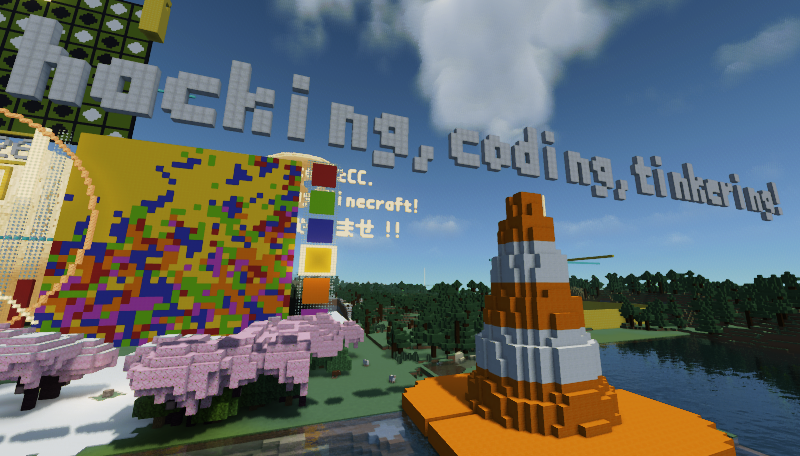
Write Python code to build automatically in the latest Minecraft world. This repository is dedicated to API development. For the current beta learning path, start with the tracked starter/ directory.
Regarding the Minecraft Remote project, please refer to the section below, or visit the project homepage at mc-remote.com.
--
Pythonコードを使って最新のマインクラフトの世界で自動建築が可能になります。このリポジトリはAPI開発用です。現行betaの学習導線は、Git管理された starter/ ディレクトリから始めます。
Minecraft Remoteプロジェクトについては、以下のセクションをご覧いただくか、mc-remote.comのプロジェクトホームページをご覧ください。
- package name(パッケージ名):
minecraft-remote-api - description(概要):
Python Client/API for Minecraft Remote - version(バージョン):
- stable(PyPI):
2000.0.0— protocol 20.0.0 - public beta(GitHub prerelease
v2301.0.0b7):2301.0.0b7— protocol 23.1.0 b7(PyPI/TestPyPIは非公開のまま) - public sandbox compatible beta:
2300.0.0b6— protocol 23.0.0 b6
- stable(PyPI):
- module name(モジュール名):
mc_remote - author(著者):
Naohiro2g/ Code2Create.Club - license(ライセンス): Python codeは
MIT、同梱WireScope appはAGPL-3.0-only
The latest GitHub prerelease is b7, but the public sandbox deployment was not part of that release and remains on protocol 23.0.0. Use the exact b6 tag for this sandbox starter path. The commands below require Python 3.10 or newer, Git, and uv.
最新のGitHub prereleaseはb7ですが、公開sandboxへのdeployはそのrelease対象外であり、 protocol 23.0.0のままです。このsandbox starterにはexact b6 tagを使います。 以下の実行にはPython 3.10以上、Git、uvが必要です。
git clone --branch v2300.0.0b6 --depth 1 \
  https://github.com/Naohiro2g/minecraft-remote-api.git
cd minecraft-remote-api
uv sync --frozen
cd starter
cp param_mc_remote.template.py param_mc_remote.py
uv run python hello.py
On the first connection, copy the displayed /mcremote pair NNN-NNN command
into Minecraft chat. Success means that Minecraft chat shows
Hello, Minecraft from Python!, one sea lantern appears at starter coordinate
(5, 67, 5), and the mc_constants completion files are generated. The block
is a persistent world change; remove it with mc.setBlock(5, 67, 5, "air")
when it is no longer needed. See starter/README_ja.md
for the completion exercise. The b7 prerelease described below requires an
exact protocol 23.1.0 server and is not compatible with the public b6 sandbox
while that server remains on protocol 23.0.0.
初回接続では、表示された /mcremote pair NNN-NNN commandをMinecraft chatへ
貼り付けます。Minecraft chatにHello, Minecraft from Python!と表示され、starter座標
(5, 67, 5)へsea lanternが1個置かれ、mc_constants補完ファイルが生成されれば成功です。
このblockはworldへ残るため、不要になったらmc.setBlock(5, 67, 5, "air")で除去します。
補完の観察はstarter/README_ja.mdへ進んでください。後述のb7
prereleaseにはexact protocol 23.1.0 serverが必要で、公開sandboxがprotocol 23.0.0の間は
接続互換ではありません。
The wheel contains the shared @mc-remote/live WireScope browser app as an
immutable detached ZIP and manifest pair. The component remains
AGPL-3.0-only; its license, notice, exact asset hashes, and corresponding
source are included in the distribution. This b7 pair recognizes the four
direction methods and world.strikeLightning; the removed
world.strikeLightningEffect name is not included. The Python client code
remains MIT.
wheelには共通@mc-remote/live WireScope browser appを、bytesを変更しない
detached ZIP/manifest pairとして同梱します。このcomponentは
AGPL-3.0-onlyであり、license、notice、全asset hash、対応source導線を
配布物に含めます。このb7 pairはdirection四methodと
world.strikeLightningを認識し、削除済みの
world.strikeLightningEffect名は含みません。Python client codeは引き続きMITです。
- WireScope corresponding source: https://github.com/Naohiro2g/scratch-editor/tree/0be46fcfaca409a5ede10f592520d93e7c59ba15/mc-remote/live
--
Works with Minecraft Remote (McRemote) plugin for PaperMC servers. A sandbox server is available for testing.
You can find the latest version of the package on PyPI.
PaperMCサーバー用のMinecraft Remote(McRemote)プラグインと連携します。テスト用にサンドボックスサーバーもご利用いただけます。 このパッケージの最新版は PyPI にあります。
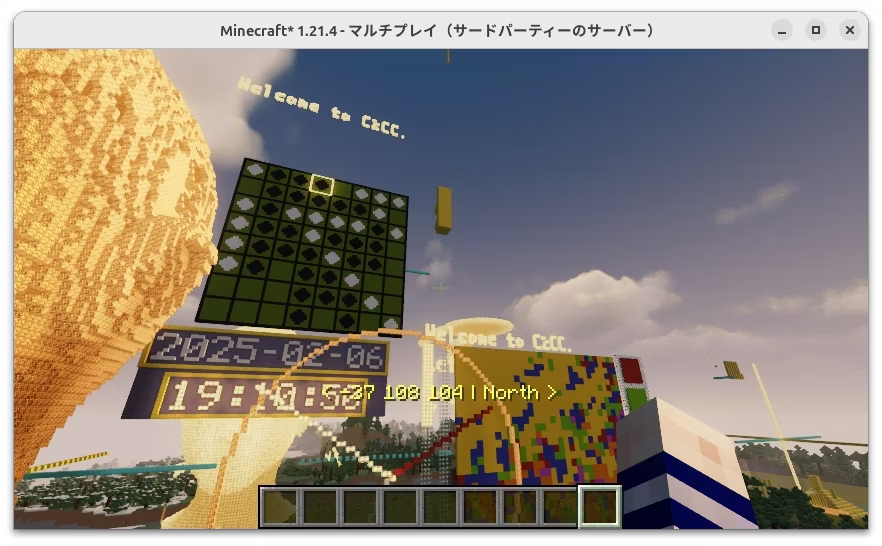
Copy the tracked environment template before running learner code. The local copy keeps the shared program independent of its server and build origin.
学習コードを実行する前に、Git管理された環境templateをコピーします。ローカルコピーへ接続先と建築原点を分けることで、プログラム本体を環境を越えて共有できます。
cd starter
cp param_mc_remote.template.py param_mc_remote.py
The official sandbox works without editing the copy. Change it only for another server or build origin. param_mc_remote.py is ignored by Git; credentials do not belong in it.
公式sandboxを使う場合、コピー後の変更は不要です。別のサーバーや建築原点を使う場合だけ変更します。param_mc_remote.py はGit管理外です。credentialはこのファイルへ書きません。
from mc_remote.vec3 import Vec3

ADRS_MCR = "sb.mc-remote.com"  # the official sandbox server
PORT_MCR = 25575
BUILD_ORIGIN = Vec3(2000, 0, 2000)-
On the first connection, run the pairing command shown by the Python client in Minecraft. The paired in-game player becomes the authenticated identity.
- Server address:
sb.mc-remote.com - Server port:
25565(No need to specify because it is the default port for Minecraft.)
- Server address:
-
PORT_MCRis the port for the socket server. The default value is25575, but you can change it to any port you like. If you are using your own PaperMC server, make sure to set the same port in theplugins/McRemote/config.yml. -
BUILD_ORIGINdefines the origin of the directory's building coordinate system. Building coordinates are relative to it. -
初回接続では、Pythonクライアントが表示するpairing commandをMinecraft側で実行します。ペアリングしたゲーム内プレイヤーが認証済みidentityになります。
- サーバーアドレス:
sb.mc-remote.com - ポート番号:
25565(マインクラフトのデフォルトポートなので指定不要)
- サーバーアドレス:
-
PORT_MCRはソケットサーバーのポート番号です。デフォルト値は25575ですが、任意のポートに変更可能です。自前のPaperMCサーバーを利用する場合は、plugins/McRemote/config.ymlに同じポートを設定してください。 -
BUILD_ORIGINは、このディレクトリで使う建築座標系の原点です。ブロックはこの原点からの相対座標で配置されます。
If you are using your own PaperMC server, be sure to load the McRemote plugin. While running the server on your own PC offers a compact setup, if your PC is underpowered, it is preferable to use a server on another machine.
自前のPaperMCサーバーを利用する場合は、必ず McRemote プラグインをロードしてください。自分のPCでサーバーを構築するのが最もコンパクトですが、PCの性能が低い場合は他のマシン上のサーバーを利用することをおすすめします。
Join our Discord community for Minecraft Remote to ask questions and share your experiences with other users. We also offer a sandbox server for testing purposes—the perfect environment to experiment with the API without worrying about breaking anything. Visit the mc-remote-chat channel on our Discord server for support.
マイクラリモコン専用のDiscordコミュニティでは、質問を投稿したり、他のユーザーと経験を共有したりできます。さらに、テスト用のサンドボックスサーバーも用意しているので、APIの実験や新しいアイデアの試行を安心して行えます。サポートが必要な方は、Discordサーバー内の mc-remote-chat チャンネルをご利用ください。
uv sync

# Make sure the virtual environment (.venv/) is created,
# and from now on, please work in that environment.
# 仮想環境(.venv/)が作成されたのを確認し、今後は、その環境内で作業してください。
to update dependencies, run (依存を更新するには、次のコマンドを実行):
uv lock --upgrade && uv syncPoetry (2.x) でも開発できます。
pyproject.tomlは PEP 621 標準なのでpoetry installで 同様に.venv/を作成して作業できます(ビルド/公開は uv を使用)。
The plain command installs the PyPI stable line (2000.0.0, protocol 20.0.0),
not the b7 GitHub prerelease. / 素のcommandで入るのはPyPI stable
(2000.0.0、protocol 20.0.0)であり、b7 GitHub prereleaseではありません。
pip install minecraft-remote-apito update the package, run (パッケージを更新するには、次のコマンドを実行):
pip install minecraft-remote-api -UTo install the exact b7 package without the tracked starter, pin the public Git tag explicitly. It requires an exact protocol 23.1.0 server. / tracked starterを 使わずexact b7 packageだけを導入する場合は、公開Git tagを明示します。接続先には exact protocol 23.1.0 serverが必要です。
python -m pip install \
"minecraft-remote-api @ git+https://github.com/Naohiro2g/minecraft-remote-api@v2301.0.0b7"The tracked starter is a source-repository asset. From a source checkout, run: / GitHubからcloneまたはdownloadしたsource treeで、次を実行します。
cd starter
cp param_mc_remote.template.py param_mc_remote.py
uv run python hello.py
uv run python with_completion.py
Manual helper scripts live in scripts/ and are run from the repo root with uv run python scripts/<name>.py.
Protocol 23.1.0 adds four direction methods as one slice. Player methods target the authenticated paired player; entity methods accept the connection-epoch opaque handle returned by the server. Results are immutable three-number tuples. The client does not normalize or round direction values itself.
protocol 23.1.0ではdirection四methodを一組で追加します。player methodは認証済みの paired playerを対象とし、entity methodはserverが返したconnection epoch限定のopaque handleを受け取ります。結果はimmutableな3要素tupleです。client側では方向を正規化・ 丸め直しません。
direction = mc.getDirection()
canonical = mc.setDirection(1, 2, 3)

entity_direction = mc.getEntityDirection(handle)
canonical_entity = mc.setEntityDirection(handle, 1, 2, 3)
strikeLightning(x, y, z) requests damage-capable full lightning at the exact
origin-relative target and returns None. It can cause damage, fire, copper,
lightning-rod, and entity changes. Those effects have no general automatic
cleanup or rollback, and an internal_error is never retried automatically.
The old strikeLightningEffect name is not provided.
strikeLightning(x, y, z)はorigin相対のexact targetへdamage-capableなfull
lightningを要求し、Noneを返します。damage、fire、copper、lightning rod、entity
変更が起こり得ます。一般的な自動cleanup/rollbackはなく、internal_errorを自動retry
しません。旧strikeLightningEffect名は提供しません。
The tracked starter/b7_direction_lightning.py
restores the paired player's original direction and runs lightning only after
the user types STRIKE. Use it only with an exact protocol 23.1.0 server; the
public b6 sandbox is not a b7 target.
tracked starter/b7_direction_lightning.pyは
paired playerの元の方向を復元し、利用者がSTRIKEと入力した場合だけlightningを実行します。
exact b7 serverだけで使用し、公開b6 sandboxをb7接続先にしません。
uv run python b7_direction_lightning.pyProtocol 23.0.0 b6 adds getSign(), setSign(), and updateSignLine() as one
sign slice. It also replaces the historical block-right-click event with the
pickaxe_poke event returned by pollEvents(). Entity handles in event and
spawn results remain opaque strings; client code must not parse them as UUIDs.
protocol 23.0.0 b6では、getSign()、setSign()、updateSignLine()を一組の
sign sliceとして追加しました。また、過去のblock-right-click eventに代わり、
pollEvents()が返すpickaxe_poke eventを追加しました。eventやspawn resultの
entity handleはopaque stringのままであり、UUIDとして解析しません。
Run the tracked starter/b6_sign.py after hello.py.
It places one sign, writes and reads its four front lines, waits so the result
can be observed, and restores the location to air in finally. It requires
package 2300.0.0b6 and protocol 23.0.0.
hello.pyの後にtracked starter/b6_sign.pyを実行します。
signを1個置いてfront 4行を書き戻し、読み取り結果とMinecraft上の表示を観察した後、
finallyで設置位置をairへ戻します。必要versionはpackage 2300.0.0b6、protocol
23.0.0です。
uv run python b6_sign.pyProtocol 22 replaces the combined block-state string with separate block_id
and state values. Vanilla IDs may omit minecraft: on set; state mappings may
be partial. The plugin fills omitted properties from Minecraft defaults.
getBlock() returns one fully qualified, full-state immutable BlockValue;
getBlocks() returns an immutable tuple of those values.
protocol 22では、block IDとstateを一体化した文字列を、block_idとstateへ
分離します。set入力のvanilla IDはminecraft:を省略でき、state mappingは部分指定
できます。省略propertyはpluginがMinecraft既定値で補います。getBlock()は完全修飾IDと
full stateを持つimmutableなBlockValueを一つ返し、getBlocks()はそのimmutableな
tupleを返します。
mc.setBlock(1, 2, 3, "oak_log", state={"axis": "z"})

value = mc.getBlock(1, 2, 3)
print(value.block_id)
print(value.state["axis"])

values = mc.getBlocks(0, 0, 0, 2, 2, 2)
print(values[0].block_id)
Protocol 22 identifies every build, player, and event space with a Minecraft
DimensionKey. setDimension() accepts a fully qualified namespace:path, or a
path with the minecraft: namespace omitted. Server results are always fully
qualified. The client updates its connection-scoped build context only from an
authenticated hello or a successful build setter result; it never caches the
setter input as the current dimension.
protocol 22では、build/player/eventの空間identityをMinecraft DimensionKeyへ
統一します。setDimension()は完全修飾namespace:path、またはminecraft:だけを
省略したpathを受理します。server出力は常に完全修飾形です。clientは認証済みhelloか
成功したbuild setter resultからだけconnection単位のbuild contextを更新し、setterの
入力値を現在dimensionとして直接保存しません。
context = mc.setDimension("overworld")
assert context["dimension"] == "minecraft:overworld"

custom = mc.setDimension("myworld:world")
assert custom["dimension"] == "myworld:world"

context = mc.setBuildOrigin(200, 0, 200)
print(context["dimension"], context["origin"])world, normal, nether, and end are not aliases. No setWorld() wrapper
or world/dimension union is provided in protocol 22. The world.* method
namespace remains unchanged because it names operations on the Minecraft
world, not the dimension identity field.
world/normal/nether/endはaliasではありません。protocol 22には
setWorld() wrapperもworld/dimension unionもありません。world.* method
namespaceはMinecraft worldへの操作を表すため、そのまま維持します。
setBlock() and setBlocks() are commands and always return None. Choose
how the same setters run with a connection-scoped build mode: DEBUG waits for
the server response, TRACE additionally pauses the calling thread after each
successful setter, and FAST sends id-less notifications. The library default
is DEBUG; the default TRACE delay is 0.25 seconds. TRACE accepts 0 through
2.0 seconds inclusive and rejects values outside that range instead of
clamping them.
setBlock()とsetBlocks()はcommandで、常にNoneを返します。同じsetterの
実行方法はconnection単位のbuild modeで切り替えます。DEBUGはserver responseを
待ち、TRACEは成功後に呼出元threadだけを待機させ、FASTはidなしnotificationを
送ります。library既定はDEBUG、TRACEの既定delayは0.25秒です。TRACE delayは
0〜2.0秒を両端込みで受理し、範囲外をclampせず拒否します。
from mc_remote.minecraft import BuildMode, Minecraft

mc = Minecraft.create(
    address="localhost",
    port=25575,
    build_mode=BuildMode.TRACE,
    trace_delay=0.25,
)

mc.setBuildMode(BuildMode.FAST)  # earlier commands are flushed first
mc.setBlock(0, 0, 0, "stone")
mc.flush()                       # explicit connection.flush barrier
mc.close()                       # pending FAST commands are auto-flushed
flush() proves that preceding commands on this connection reached a terminal
server outcome; it does not recover individual notification errors or wait for
Minecraft client rendering. Mode changes and normal close also use this
barrier. FAST uses a bounded FIFO and applies backpressure instead of dropping
commands. A request timeout leaves completion unknown: the client does not
retry the operation, rejects a pending mode change, and reclaims the connection.
flush()は同じconnection上の先行commandがserver側の終端へ到達したことを保証します。
notification個別のerror復元やMinecraft client側の描画完了までは保証しません。mode切替と
正常closeもこのbarrierを使います。FASTは有限FIFOを使い、commandを捨てずに
backpressureを適用します。request timeout時は完了不明であり、自動retryせず、保留中の
mode変更を成立させずにconnectionを回収します。
The rest of the b5 world/event slice is projected without changing positional
precision. Block coordinates (including getHeight) must be integral and a
fractional value is rejected rather than floored. Player, particle, entity,
and projectile positions remain continuous values.
b5のworld/event sliceも座標精度を変えずに投影します。block座標(getHeightを含む)
はinteger必須で、小数はfloorせず拒否します。player/particle/entity/projectile位置は
連続値のままです。
height = mc.getHeight(0, 0, 100)
accepted = mc.spawnParticle(
    0.25, height + 1.5, 0.75,
    0.1, 0.2, 0.1,
    "minecraft:flame", 0.0, 8,
)
handle = mc.spawnEntity(2.25, height + 1, 2.75, "minecraft:pig")
events = mc.pollEvents()  # server selects its current default
small_batch = mc.pollEvents(max_events=16)  # client-requested upper bound
for event in events.events:
    mc.assertEventContext(event)
print(events.events, events.loss_totals)
pollEvents() owns one cursor per connection and advances it only after a
complete valid response. Its immutable EventBatch exposes overflow,
capacity, and explicit-discard totals. Entity handles are opaque strings scoped
to the connection epoch; the client does not parse them as UUIDs or retry a
lost spawnEntity response.
pollEvents()はconnectionごとにcursorを一つ持ち、完全で妥当なresponseを受理した後だけ
進めます。immutableなEventBatchからoverflow/capacity/明示破棄の累積値を確認できます。
entity handleはconnection epoch限定のopaque stringであり、UUIDとして解析せず、responseを
失ったspawnEntityを自動再送しません。
Events keep the fully qualified dimension and origin captured when they occurred. Call
assertEventContext(event) immediately before using an event position in a
world.* method. A mismatch raises EventContextMismatchError and never
changes the build dimension/origin implicitly.
eventは発生時の完全修飾dimension/originを保持します。event位置をworld.*へ渡す直前に
assertEventContext(event)を呼びます。不一致時はEventContextMismatchErrorとなり、
build dimension/originを暗黙変更しません。
The live catalog projection now publishes mc_constants.py,
mc_constants.pyi, and their manifest as one disposable set. Generated block
constants carry per-block TypedDict/Literal types for editor completion.
The generated block_state builder is the explicit completion path when an
editor does not offer keys reliably inside an inline mapping.
live catalog projectionはmc_constants.py、mc_constants.pyi、manifestを一組の
一時生成物として公開します。block定数にはblockごとのTypedDict/Literal型が
付きます。inline mapping内でエディタがkey候補を安定表示しない場合は、生成された
block_state builderを明示的な補完経路として使えます。
from mc_constants import block, block_state

mc.setBlock(1, 2, 3, block.OAK_LOG, state={"axis": "z"})
mc.setBlock(4, 2, 3, block.OAK_LOG, state=block_state.OAK_LOG(axis="z"))
There is no protocol 21 union input, auto-detection, or permanent block_ref
compatibility helper. / protocol 21とのunion入力、自動判定、恒久的なblock_ref
互換helperは設けません。
Historical protocol 21/b4 note. This section records the earlier
setPlayermigration; it is not the active b5 implementation plan.protocol 21/b4の履歴。 この節は過去の
setPlayer移行記録であり、b5のactive計画ではありません。
Build state (world + origin) is now separate from player identity and scoped per connection/stream. The single setPlayer(name, x, y, z) call is replaced by two methods.
建築状態(ワールド+原点)がプレイヤーの識別情報から分離され、接続(ストリーム)ごとに保持されるようになりました。setPlayer(name, x, y, z) の1メソッドが、2つのメソッドに置き換わります。
Old (protocol ≤ 20.0.0 / 2000.0.0) |
New (protocol 21.0.0 / 2100.0.0b4) |
|---|---|
mc.setPlayer(PLAYER_NAME, x, y, z) |
mc.setWorld("overworld") then mc.setBuildOrigin(x, y, z) |
setWorld(dimension)—"overworld"/"nether"/"end"(または正確なワールド名)。既定はoverworld。セッション中に変更可。setBuildOrigin(x, y, z)— 建築座標系の原点。既定は(200, 0, 200)。セッション中に変更可。setPlayeris removed / 削除。プレイヤー名は建築状態の一部ではなくなりました。- Coordinates stay relative to the origin: absolute
y = origin y + dy(no implicit Y offset). / 座標は原点からの相対。絶対y = 原点 y + dy(暗黙の Y オフセットなし)。 - Each
Minecraftinstance = one connection = one independent build state, so multiple streams build in parallel without clobbering each other. /Minecraftインスタンス1つ=1接続=独立した建築状態。複数ストリームが互いに干渉せず並行建築できます。 - b2 adds token auth on
hello: callMinecraft.create(...), then run the shown/mcremote pair NNN-NNNcommand in Minecraft when prompted. Stored tokens are keyed bytoken_keyor byaddress:port; the compatibilitysandboxargument is only a local token-store alias and is never sent inhello.params. - b2 では
helloに token 認証が加わりました。Minecraft.create(...)実行後、表示された/mcremote pair NNN-NNNを Minecraft 側で実行します。保存 token はtoken_keyまたはaddress:portで管理されます。互換用のsandbox引数はローカル token-store alias のみで、hello.paramsには送信されません。 getPos()/setPos(world, x, y, z)operate on the paired player. Positions are relative to this stream's build origin, andsetPostakes an explicit target world.getPos()/setPos(world, x, y, z)はペアリング済みプレイヤーを対象にします。座標はこの stream の build origin 相対で、setPosは移動先 world を明示します。getPose()/setPose(world, x, y, z, yaw, pitch)add orientation while keeping the same paired-player and stream-origin model.setPosepreserves fractional values and returns the server-normalized pose.getPose()/setPose(world, x, y, z, yaw, pitch)は同じpaired player/stream originモデルに向きを加えます。setPoseは小数値を保持し、serverで正規化されたposeを返します。
Connection/request failures no longer call sys.exit(); they raise catchable exceptions.
接続・リクエストの失敗で sys.exit() せず、捕捉可能な例外を送出します。
from mc_remote.connection import ConnectionLostError, RequestFailedError

try:
    mc.setBuildOrigin(0, 0, 0)
except RequestFailedError as e:   # server reported a failed request / サーバーが失敗を返した
    ...
except ConnectionLostError as e:  # connection to the server was lost / 接続が失われた
    ...
Both subclass McRemoteError, so except McRemoteError: catches either. / どちらも McRemoteError のサブクラスなので、except McRemoteError: で両方を捕捉できます。
# Before / 変更前
mc = Minecraft.create(address=param.ADRS_MCR, port=param.PORT_MCR)
mc.setPlayer(param.PLAYER_NAME, PO.x, PO.y, PO.z)

# After / 変更後
from param_mc_remote import BUILD_ORIGIN as ORIGIN

mc = Minecraft.create(address=param.ADRS_MCR, port=param.PORT_MCR)
mc.setWorld("overworld")
mc.setBuildOrigin(ORIGIN.x, ORIGIN.y, ORIGIN.z)2100.0.0b4 is not on PyPI, so a plain pip install / uv add keeps the current stable line. Testers install the exact beta from its GitHub tag.
2100.0.0b4 は PyPI に出さないため、素の pip install / uv add では従来の安定版のままです。テスターは GitHub タグから対象ベータを明示指定で導入します。
# exact-pin from the GitHub tag / GitHub タグを明示指定
uv add "minecraft-remote-api @ git+https://github.com/Naohiro2g/minecraft-remote-api@v2100.0.0b4"2100.0.0b4 adds getPose() and setPose(world, x, y, z, yaw, pitch). The returned shape is {"world": ..., "pos": [x, y, z], "yaw": ..., "pitch": ...}. Position remains relative to the stream origin; setPose applies position and orientation in one server-side teleport. Yaw accepts any finite value and is returned normalized by Minecraft. Pitch accepts -90..90.
2100.0.0b4 では getPose() と setPose(world, x, y, z, yaw, pitch) を追加します。戻り値は {"world": ..., "pos": [x, y, z], "yaw": ..., "pitch": ...} です。位置は従来どおりstream origin相対で、setPoseは位置と向きをserver側の1回のteleportで一体反映します。yawは任意の有限値を受理してMinecraftの通常表現へ正規化し、pitchは-90..90を受理します。
WireScope observes the one main connection created by Minecraft.create().
The observer schema retains streams[] and separates target and stream IDs for
forward compatibility, but b4 does not create or attach substreams.
WireScopeが観察するのはMinecraft.create()で成立したmain connection 1件です。
observer schemaは前方互換のためstreams[]とtarget/stream IDの分離を維持しますが、
b4ではsubstreamを生成・attachしません。
pose = mc.getPose()
mc.setPose(
    pose["world"],
    *pose["pos"],
    pose["yaw"] + 90,
    pose["pitch"],
)2100.0.0b3 added catalog.get (wire §7.2.1). After an authenticated hello, Minecraft.create() acquires the connected server's live block/entity/particle registry, verifies it against the advertised and recomputed catalogHash, and stores the validated raw catalog in the user cache. In b5 it publishes three disposable completion artifacts in the current working directory: mc_constants.py, mc_constants.pyi, and mc_constants.manifest.json.
2100.0.0b3 で catalog.get(wire §7.2.1)が加わりました。認証済み hello の後、Minecraft.create() が接続先サーバーの生きたブロック/エンティティ/パーティクル registry を取得し、hello が示した catalogHash と再計算した hash の両方で検証して、ユーザーcacheへ保存します。b5では現在の作業ディレクトリへ補完用の一時生成物 mc_constants.py、mc_constants.pyi、mc_constants.manifest.json を公開します。
Outside the tracked starter, initialize the ignore rules once for each Git-managed project. This command only updates .gitignore for param_mc_remote.py and the projection files; it does not create the template, connect, or generate a projection. / tracked starter以外のGit管理projectでは、projectごとにignore規則を一度用意します。このコマンドは param_mc_remote.py とprojection生成物のために .gitignore を更新するだけで、template作成・接続・projection生成は行いません。
mcremote initThe first Hello World connects without importing mc_constants, posts to chat, and places one block. Completion is acquired by that successful connection. The commented import in starter/hello.py lets learners observe the unresolved import before connecting, then see it resolve afterward. / 最初のHello Worldは mc_constants をimportせず、chatへの投稿とブロック1個の設置まで行います。その接続成功によって補完を獲得します。starter/hello.py のコメントアウトされたimportを使い、接続前の未解決状態と接続後の解決状態を観察できます。
import param_mc_remote as param
from param_mc_remote import BUILD_ORIGIN as ORIGIN
from mc_remote.minecraft import Minecraft

mc = Minecraft.create(address=param.ADRS_MCR, port=param.PORT_MCR)
mc.setBuildOrigin(ORIGIN.x, ORIGIN.y, ORIGIN.z)
mc.postToChat("Hello, Minecraft from Python!")
mc.setBlock(5, 62 + 5, 5, "sea_lantern")
After projection succeeds, the generated constants can be imported and used. / projection成功後は、生成された定数をimportして利用できます。
from mc_constants import block, world_info

mc.setBlock(6, world_info.Y_SEA + 5, 5, block.GOLD_BLOCK)- A cache miss is fetched on a separate short-lived authenticated stream. Catalog or projection failure produces an actionable warning, but
Minecraft.create()still returns the connected build client. Fix the reported stage and retry withmc.sync_constants(force=True). / cache missの取得には、建築用とは別の短命な認証済みstreamを使います。catalogまたはprojectionが失敗してもactionable warningとなり、Minecraft.create()は接続済み建築clientを返します。表示された段階を直し、mc.sync_constants(force=True)で再試行できます。 - Pass
sync_catalog=FalsetoMinecraft.create(...)to skip catalog cache/projection work. / catalogのcache/projection処理を省く場合はMinecraft.create(..., sync_catalog=False)を指定します。 - Use
state={...}directly, or generatedblock_state.<BLOCK>(...)when explicit key/value completion is useful. Both paths send the same structured mapping. /state={...}を直接使うか、key/value補完を明示したい場合は生成されたblock_state.<BLOCK>(...)を使います。どちらも同じ構造化mappingを送信します。 - The projection is neither bundled nor committed. Even when the raw catalog is already cached, a fresh clone receives no completion files until its own authenticated
hellosucceeds. In a Git project whose projection files are not ignored, generation is refused andmcremote initis suggested. / projectionは同梱もcommitもしません。生catalogがcache済みでも、fresh cloneではその環境自身の認証済みhelloが成功するまで補完ファイルは現れません。Git管理下で生成物がignoreされていない場合は生成せず、mcremote initを案内します。
Minecraft Remote (or mc-remote) is a remote control system for Minecraft. The client communicates with a dedicated server provided by the McRemote plugin—which runs alongside your PaperMC server—while the API facilitates user interaction, allowing users to write code and perform automatic construction.
It is based on projects such as RaspberryJuice by zhowei, mcpi by martinohanlon, and JuicyraspberryPie by wensheng—all of which are designed to "support LEARNING" rather than conventional "EDUCATION", and reflect the collective wisdom and effort of their communities. The project is also strongly influenced by Dr. Mitchel Resnick (MIT)'s Lifelong Kindergarten.
References:
- https://github.com/zhuowei/RaspberryJuice
- https://github.com/martinohanlon/mcpi
- https://github.com/wensheng/JuicyraspberryPie
- https://www.media.mit.edu/groups/lifelong-kindergarten
The primary goal is to foster a self-directed, exploratory learning approach rather than merely focusing on technical skills.
- Coding concepts and techniques
- Techniques for open source development using Git/GitHub
- Techniques for realizing/expressing one's own ideas
- Provide the latest version of Minecraft as an engaging playground and sandbox.
- Enable the reuse of code assets developed from previous projects.
- Support a wide range of programming languages including Python, Scratch, C#, Java, etc. We are currently prioritizing the preparation of a Scratch version.
- Expand beyond the Minecraft world to include 3D environments like Unity, Blender, and Houdini.
- Supports output to 3D worlds and plans to support input—enabling interactive experiences that connect digital, real, and other virtual worlds.
- Integrate artificial intelligence technologies. For instance, allow playing rock-paper-scissors with hand gestures in the Minecraft world using computer vision and machine learning.
Minecraft Remote / mc-remote(マイクラリモコン、あるいは、エムシーリモート) は、Minecraftのリモコンシステムです。クライアントは、PaperMCサーバーと併走して稼働する McRemoteプラグイン が提供する専用サーバーと通信を行い、一方、APIはユーザーとのやり取りを円滑にする役割を果たし、ユーザーがコードを記述して自動建築を実現できるようにします。
このプロジェクトは、zhoweiによるRaspberryJuice、martinohanlonによるmcpi、およびwenshengによるJuicyraspberryPieなどの、知識注入型の 「教育」 というよりも 「学習支援」 の意図を強く持ったプロジェクト群および、そのコミュニティの知恵と努力の成果に基づいています。また、Dr. Mitchel Resnick(MIT)のライフロングキンダーガーテンの影響を強く受けています。
リファレンス:
- https://github.com/zhuowei/RaspberryJuice
- https://github.com/martinohanlon/mcpi
- https://github.com/wensheng/JuicyraspberryPie
- https://www.media.mit.edu/groups/lifelong-kindergarten
技術スキル習得は二の次とし、自発的な学びの姿勢を育むことを目的とします。
- コーディングの概念と手法
- Git/GitHubを活用したオープンソース開発の手法
- 自分のアイデアを実現/表現する技術
- 魅力的なプレイグラウンド、サンドボックスとして最新版マインクラフトを利用可能にすること
- 過去のプロジェクトで培われてきたコード資産を活用できるようにすること
- Python、Scratch、C#、Java他、幅広い言語の利用を可能にすること (Scratch版の準備を急務としている。)
- マインクラフト世界だけでなく、Unity、Blender、Houdiniなどの3D世界の利用を可能にすること
- 3D世界への出力に加え入力対応も計画中 — これにより、デジタル世界、現実世界、およびその他の仮想環境と連携するインタラクティブな体験を実現する
- 人工知能技術の応用、例えば、コンピュータービジョンと機械学習を利用し、マインクラフト世界の中の手とじゃんけんができる仕組みなど。
Hacking, coding, and tinkering are the core of this project. We aim to create a system that allows users to explore and learn through their own experiences. The project is open to everyone, and we welcome contributions from all who share our vision.