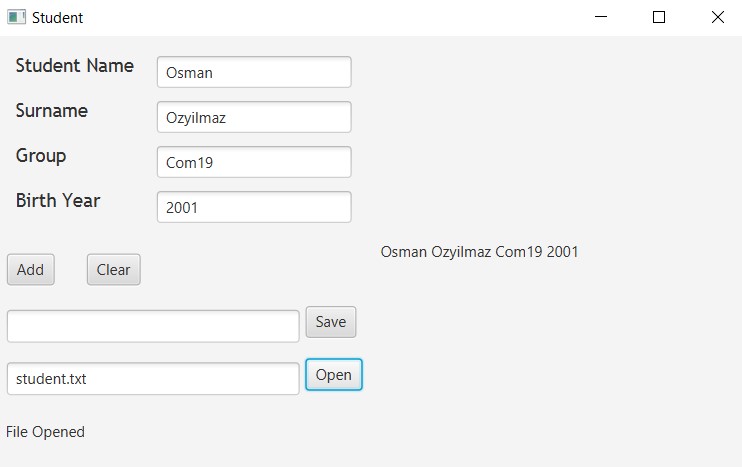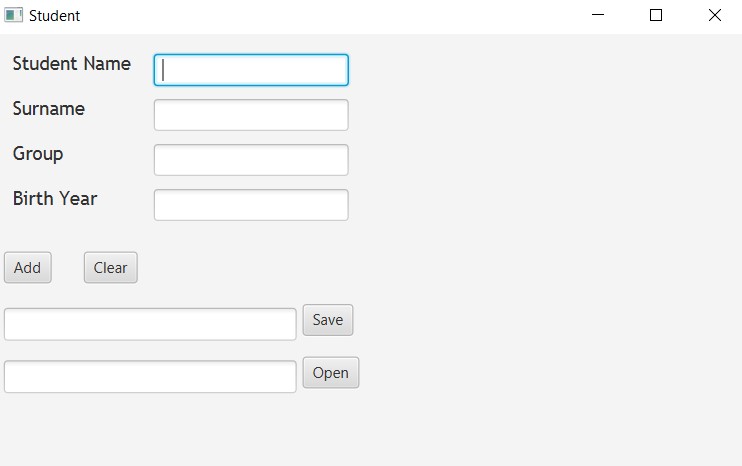
This GUI is created with JavaFX. A project where there are several buttons for adding and receiving data from text files. There is also a JUnit Test class, a parent class and it's child class. The Student class inherits the Person Class.
JAR file location: "out/artifacts/untitled1_jar/untitled1.jar"
To open the jar file use this command:
java --module-path "%YOUR JAVAFX LIB%" --add-modules javafx.controls,javafx.fxml --add-modules javafx.base,javafx.graphics -jar %JAR LOCATION%
For example in my case:
Java --module-path "D:\Program Files\javafx-sdk-11.0.2\lib" --add-modules javafx.controls,javafx.fxml --add-modules javafx.base,javafx.graphics -jar "out\artifacts\untitled1_jar\untitled1.jar"
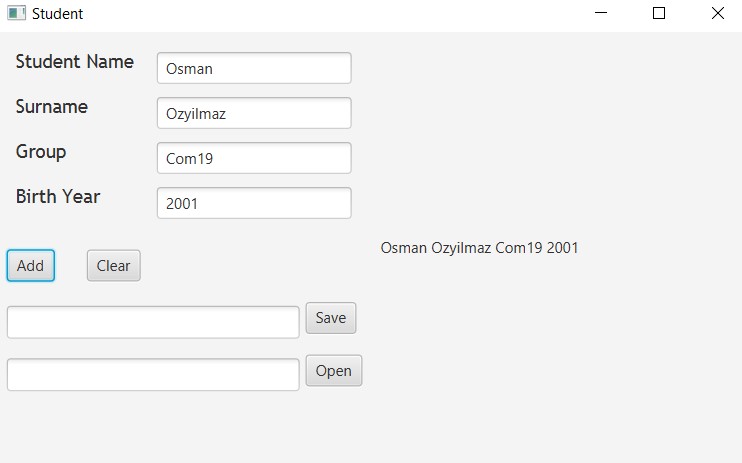
The Add Button
When clicked, data entered is added to the panel.
The Clear Button
When clicked, data entered is deleted from the panel.
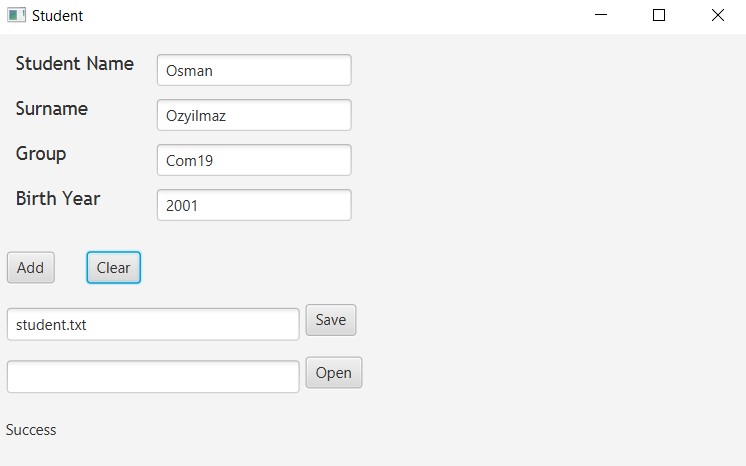
The Save Button
When clicked, data entered is saved to a text file which you provide.
The Open Button
When clicked, a text file is opened which you provide.