
Evaluate responses. Guard actions.
A Python toolkit for evaluating LLMs, RAG, and Agents using Decision Models with optional calibration against human labels


Quickstart · Agent evaluation · Tool guards · Calibration · Examples & guides
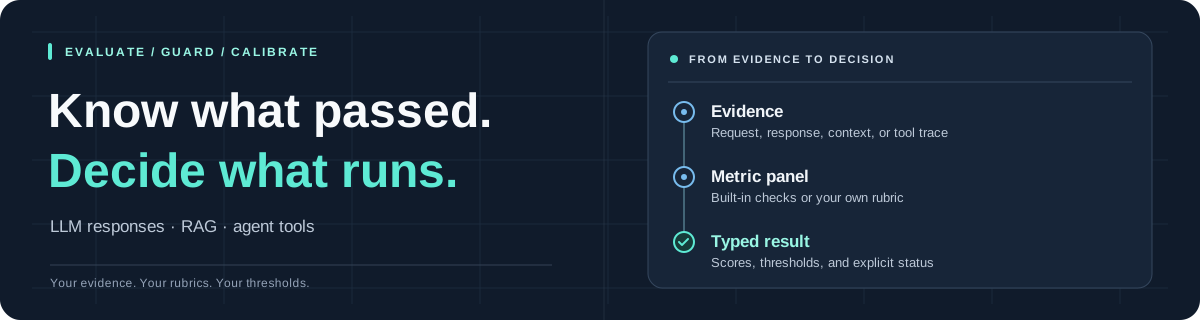
Use Jev by default, Microsoft Decision-1 on OpenRouter through the same backend, or native OpenAI Decisions API, to judge generated responses and recorded agent executions. Check proposed tool calls before they run. Start with a preset, then bring your own metrics, thresholds, or judge backend as your application grows.
Install with Python 3.11+. This quickstart uses the default Jev backend, which requires a TypeSafe API key. For Microsoft Decision-1, follow Use Microsoft Decision-1 on OpenRouter with OPENROUTER_API_KEY. For OpenAI Decisions, set OPENAI_API_KEY and follow Use OpenAI Decisions.
python -m pip install typed-evals
export TYPESAFE_API_KEY='your-key' # or export OPENAI_API_KEY='your_key'
Evaluate a response against the evidence used to generate it:
from typed_evals import evaluate

result = evaluate(
    input="What is the refund period?",
    response="You can request a refund within 30 days.",
    contexts=["Refunds are allowed within 30 days of purchase."],
    preset="rag",
)

print("All checks passed:", result.passed)
for name, metric in result.metrics.items():
    print(f"{name}: score={metric.score}, passed={metric.passed}")
That checks faithfulness, answer relevancy, and context relevance in one judge request. The default backend uses jev-1.13.0 through the official typesafe-sdk 0.7.x; live examples make API calls using your account.
Want to explore without an API key? Jump to the offline demo.
Microsoft's Decision-1 model works through JevBackend with OpenRouter's TypeSafe-compatible System One endpoint. Install python-dotenv to load a local .env file:
python -m pip install typed-evals python-dotenv
export OPENROUTER_API_KEY='your-key'
import os
from dotenv import load_dotenv
from typed_evals import JevBackend, evaluate
load_dotenv()
backend = JevBackend(
model="microsoft/microsoft-decision-1",
base_url="https://openrouter.ai/api",
api_key=os.environ["OPENROUTER_API_KEY"],
)
result = evaluate(
input="What is the refund period?",
response="You can request a refund within 30 days.",
preset="response",
backend=backend,
)
print(result.passed)You can also put OPENROUTER_API_KEY=your-key in .env; call load_dotenv() before reading it. The SDK appends /v1/systemone, giving https://openrouter.ai/api/v1/systemone. The "response" preset checks answer relevancy; use "rag" or "agent" with their required evidence for those workflows. Run examples/openrouter_decision1.py from a checkout for scores and pass/fail results. This uses the core TypeSafe SDK dependency and needs no additional provider SDK.
Install the optional official SDK and set its normal environment variable:
python -m pip install 'typed-evals[openai]'
export OPENAI_API_KEY='your-key'
from typed_evals import OpenAIDecisionsBackend, evaluate
backend = OpenAIDecisionsBackend(model="gpt-6-luna", timeout=30.0, max_retries=2)
result = evaluate(
input="What is the refund period?",
response="You can request a refund within 30 days.",
contexts=["Refunds are allowed within 30 days of purchase."],
preset="rag",
backend=backend,
)
print(result.passed)This uses POST /v1/decisions through AsyncOpenAI.decisions.create with OpenAI SDK. All active metrics share one request. Samples support text, structured tool evidence, and images. Run examples/openai_decisions.py from a checkout for a complete text example.
Each batch owns and closes one async client, shared by its workers. With OpenAIDecisionsBackend(client=your_async_client), you own the client lifecycle and its timeout/retry settings; evaluate asynchronously in the client's event loop. The SDK handles transport retries.
Decisions maps Noul to predicate, Choice to string-valued choices, and Score to ordered levels. Raw scores keep their existing meaning: positive-condition probability, summed probability of passing options, or normalized expected ordinal level. Choice/Score provider confidence is separate; predicates have no confidence field. Refusals are unavailable judgments: they raise by default, or become individual error results under errors="record", preserving successful sibling metrics and leaving the sample's pass status unavailable. Runtime guards apply their configured error policy.
Add images to a sample and select them in a custom metric's required_fields:
from typed_evals import ImageInput, Metric, OpenAIDecisionsBackend, evaluate

visual_grounding = Metric(
    name="visual_grounding",
    kind="noul",
    instructions="Does the response accurately describe the supplied image?",
    pass_definition="Every material visual claim is supported by the image.",
    required_fields=("input", "response", "images"),
)
result = evaluate(
    input="Describe this receipt.",
    response="The receipt shows a total of $42.00.",
    images=[ImageInput.from_file("receipt.png", label="receipt")],
    metrics=[visual_grounding],
    backend=OpenAIDecisionsBackend(),
)
print(result.passed)
ImageInput accepts inline PNG, JPEG, WebP, and GIF data URLs, with from_file and from_bytes helpers. Images use native Decisions image parts alongside text; image order and optional labels identify the evidence. Built-in presets select text evidence, so attaching images alone does not include them in the judge request. Jev currently supports text; image-selecting metrics require a backend advertising image support. The sample and metric APIs are shared across providers, so future Jev image support can use the same code with backend=JevBackend().
See the image guide and runnable image example.
| Your workflow | What Typed Evals provides |
|---|---|
| Evaluate a RAG pipeline | Check whether answers address the query and stay grounded in the retrieved context. |
| Evaluate Agent runs | Judge task completion and claims about tool results against recorded execution evidence. |
| Guard tool calls | Evaluate proposed calls against your policy before executing the underlying function. |
| Define your own rubric | Compose nine built-in metrics or write custom binary, categorical, and ordered-score checks. |
| Calibrate thresholds | Fit per-metric curves to human pass/fail labels and inspect performance on held-out data. |
| Preset | Checks | Evidence to supply |
|---|---|---|
"response" · default |
Answer relevancy | input, response |
"rag" |
Faithfulness, answer relevancy, context relevance | input, response, contexts |
"agent" |
Task completion, tool grounding | input, response, trace, expected_outcome |
Presets use a 0.5 threshold for each metric. Supplying contexts alone does not enable RAG checks—choose preset="rag" explicitly. Missing evidence and judge errors raise by default. Use custom metrics to choose different checks or thresholds.
Use preset="agent" to check whether a completed run achieved its expected outcome and reported tool results accurately. Supply the final response, observed execution trace, and explicit success criteria:
from typed_evals import evaluate

result = evaluate(
    preset="agent",
    input="Create a support ticket for the export failure.",
    response="I created ticket T-42 for your export failure.",
    expected_outcome="A new support ticket exists for the reported export failure.",
    trace=[
        {
            "name": "create_ticket",
            "arguments": {"title": "Export failure"},
            "status": "error",
            "output": {"created": False},
            "error": "Permission denied",
        }
    ],
)

for name, metric in result.metrics.items():
print(f"{name}: score={metric.score}, passed={metric.passed}")- Task completion checks whether execution evidence establishes
expected_outcome. Plans, attempts, and claims of success are insufficient. - Tool grounding checks whether the response's claims match the observed tool results, including failed or unverified executions.
Here, ticket creation failed while the agent claimed success. Both rubrics describe a failure; the returned scores depend on the selected judge's judgment.
Capture trace from actual executions in your integration. The preset covers completion and result reporting; step ordering, efficiency, and recovery quality need separate checks. See the runnable example and the runtime guide for enforcing checks at agent and tool boundaries.
Save your samples as samples.jsonl, with one JSON object per line:
{"input":"Refund period?","response":"30 days.","contexts":["Refunds are allowed within 30 days of purchase."]}from typed_evals import evaluate
report = evaluate("samples.jsonl", preset="rag")
print(report.summary)
report.save("evaluation-report.json")You can also pass a dictionary, an EvaluationSample, or a list/tuple of either. A single sample returns SampleResult; a sequence or file returns EvaluationReport, even for one row. JSON files contain an array of samples.
Each sample's metrics share a judge request. Batches validate inputs first, run up to eight concurrent workers by default, and preserve input order.
In notebooks and async applications, use aevaluate with the same dataset:
from typed_evals import aevaluate

report = await aevaluate("samples.jsonl", preset="rag")
The synchronous API also works in notebooks, but blocks until evaluation finishes.
From the terminal or CI:
typed_evals evaluate samples.jsonl \
  --metrics faithfulness answer_relevancy context_relevance \
  --output evaluation-report.json \
  --fail-on-failure

# Native OpenAI Decisions; the default model is gpt-6-luna:
typed_evals evaluate samples.jsonl --backend openai-decisions \
  --metrics faithfulness answer_relevancy context_relevance \
  --output openai-report.json --fail-on-failure
The CLI returns a nonzero exit code for failed or unavailable evaluations when --fail-on-failure is set. See the evaluation guide for error policies, data formats, and report fields.
Add a policy check to a LangChain tool before registering it:
python -m pip install 'typed-evals[langchain]'from langchain.tools import ToolRuntime, tool
from typed_evals.adapters.langchain import guard_tool
@tool
@guard_tool(
policy="Only read tickets owned by the authenticated customer.",
contexts=lambda runtime: runtime.context["authorization_evidence"],
)
def read_ticket(ticket_id: str, runtime: ToolRuntime) -> str:
"""Read the complete text of a support ticket."""
return ticket_store.read_authorized(runtime.context["customer_id"], ticket_id)Here, ticket_store is your application's ticket service. Supply the current customer ID and application-owned authorization evidence through the agent's runtime context; the complete LangChain example shows the wiring.
The adapter captures the latest human request, proposed arguments, tool name, and call ID. By default, it checks ToolSafety at a 0.9 threshold and raises GuardrailViolation on a failed or unavailable judgment before the function runs. Successful calls preserve the tool's native return value. Keep deterministic authorization inside the tool, as shown above.
| Integration | Install | Import guard_tool from |
|---|---|---|
| Plain Python | pip install typed-evals |
typed_evals |
| LangChain | pip install 'typed-evals[langchain]' |
typed_evals.adapters.langchain |
| CrewAI | pip install 'typed-evals[crewai]' |
typed_evals.adapters.crewai |
| Microsoft Agent Framework | pip install 'typed-evals[agent-framework]' |
typed_evals.adapters.agent_framework |
The plain Python helper takes explicit input and contexts, as values or callbacks. The CrewAI adapter creates a native tool; the Microsoft adapter wraps a function under @agent_framework.tool. See the adapter guide for each framework's registration and evidence requirements, and the runtime guide for agent decorators and additional checkpoints.
The currently supported CrewAI release requires OpenAI SDK <3, while Decisions requires >=3.26.0. Use separate environments for the CrewAI extra and native Decisions until those dependency bounds are compatible. The plain Python, LangChain, and Microsoft guard integrations accept a Decisions backend.
Choose custom metrics instead of a preset to control the panel and thresholds:
from typed_evals import AnswerRelevancy, Faithfulness, evaluate

result = evaluate(
    input="Refund period?",
    response="30 days.",
    contexts=["Refunds are allowed within 30 days."],
    metrics=[Faithfulness(threshold=0.8), AnswerRelevancy(threshold=0.8)],
)
For reusable configuration, use Evaluator(preset="rag") or Evaluator(metrics=[...]).
Explore the nine built-in metrics
| Focus | Metrics |
|---|---|
| Responses and retrieval | answer_correctness, answer_relevancy, context_relevance, faithfulness |
| Recorded agent execution | task_completion, tool_grounding |
| Proposed tool calls | tool_accuracy, tool_safety |
| Content policy | policy_compliance |
from typed_evals import list_metrics

print(list_metrics())  # No API credentials needed.
PolicyCompliance and ToolSafety require policy=... when constructed. See the metric definitions for required evidence and score meanings.
Write a custom metric
Define an ordered rubric from least to most desirable. Higher scores pass the threshold, so the last level should describe your best outcome:
from typed_evals import Metric, evaluate

completeness = Metric(
    name="completeness",
    kind="score",
    instructions="How completely does `response` cover the details requested in `input`?",
    criteria=(
        "None of the requested details are supplied.",
        "Some details are supplied, but essential requested details are missing.",
        "All essential requested details are supplied.",
    ),
    pass_definition="All essential requested details are supplied.",
    required_fields=("input", "response"),
    threshold=0.8,
)

result = evaluate(
    input="What is the refund period, and how do I request one?",
    response="You have 30 days. Contact support with your order number.",
    metrics=[completeness],
)
An ordered score rubric produces a normalized expected level between 0 and 1; it is not automatically a probability of human acceptance. For binary and categorical rubrics, use kind="noul" and kind="choice". The custom metrics example shows all three formats.
Choose another model or implement a backend
Pass backend=JevBackend(model="...") to choose a different Jev model, or backend=OpenAIDecisionsBackend() for native Decisions. Custom providers implement the public Backend and JudgeSession protocols and can be passed as backend= to evaluation and tool guards.
For a model hosted at a TypeSafe-compatible endpoint, pass its API root and key:
import os

from typed_evals import JevBackend, evaluate

result = evaluate(
    input="What is the refund period?",
    response="Refunds are allowed within 30 days.",
    backend=JevBackend(
        model="my-judge-model",
        base_url="https://judge.example.com",
        api_key=os.environ["MY_JUDGE_API_KEY"],
    ),
)
The SDK appends /v1/systemone to base_url; supply the API root, without that endpoint path. If omitted, base_url and api_key use TYPESAFE_BASE_URL and TYPESAFE_API_KEY, respectively. These environment variables also work with the CLI. The server must accept TypeSafe's state, questions, and model request and return its typed answers; an OpenAI-compatible chat endpoint needs a custom backend adapter. See backend configuration for client injection.
Microsoft Decision-1 on OpenRouter is a concrete example: use model="microsoft/microsoft-decision-1", base_url="https://openrouter.ai/api", and your OpenRouter API key with JevBackend.
An adapter supplies a model ID, an async session() context manager, and async judge(state, questions) returning a JudgeResponse. It translates the TypeSafe SDK's Noul, Choice, and Score formats into provider requests and matching answers. Image-capable adapters also expose supported_modalities={"text", "image"} and translate selected ImageInput evidence into their provider's format; existing backends without that attribute remain text-capable. The typesafe-sdk dependency remains required for metric construction. OpenAI loads only when used; Jev and custom backends work without the openai extra. Both CLI commands accept --backend jev (default) or --backend openai-decisions; omitted --model uses that backend's default.
See the backend contract and synthetic backend example.
Make thresholds reflect your own acceptance criteria. A raw judge score of 0.8 does not necessarily mean humans would pass 80% of similar examples.
With typed-evals[calibration], use EvaluationPipeline to fit per-metric isotonic curves against representative human pass/fail labels. Inspect the held-out diagnostics, save the fitted artifact, and load it for later evaluations. Calibration is opt-in; improvements are measured on held-out data rather than assumed.
Read the calibration walkthrough for fitting, validation, and saved artifacts. The included labeled datasets are synthetic examples; replace them with human-reviewed labels for your application.
For Decisions, install typed-evals[openai,calibration] and fit a separate artifact with backend=OpenAIDecisionsBackend() or typed_evals calibrate ... --backend openai-decisions. Calibration uses raw metric scores, never provider confidence. New v2 artifacts record backend/compiler provenance and ordered request configuration; provider or compiler changes require a refit, while threshold changes do not. V1 artifacts remain readable for the established Jev compiler and custom backends without provenance; they cannot establish Decisions compatibility and require a fresh Decisions fit. See artifact compatibility.
metric.score uses the raw score unless calibration is applied. metric.passed compares it with the threshold and is None for unavailable evaluations. Judge results can be wrong; individual checks do not establish a single probability that an entire answer is true.
On 645 TRIVIA+ test answers, calibration reduced Jev's expected calibration error (ECE) by 68.1%, from 0.0982 to 0.0313, with no additional judge calls. With cutoffs chosen on validation data, hallucination detection remained similar: F1 moved from 0.5833 to 0.5877, while accuracy stayed around 72%.
The measured gain was in how closely probabilities matched human judgments. Read the full benchmark for the dataset, methodology, results, and limitations.
Clone the repository to get the example scripts and datasets; they are not bundled in the installed package:
git clone https://github.com/TrustifAI/typed_evals.git
cd typed_evals
python -m pip install -e '.[calibration]'
python examples/offline_demo.py
This demo uses a deterministic synthetic judge: no API key and no network calls. It shows how a raw score, a calibrated probability, and a pass/fail decision relate.
From the same checkout, explore runtime enforcement:
python examples/runtime_guardrails.py
python examples/decorated_agent.py
The CrewAI and Microsoft Agent Framework demos also use synthetic judges; install the corresponding framework extra first.
| Start here | What you'll learn |
|---|---|
| Evaluation | Metrics, datasets, reports, custom checks, and CLI usage. |
| Microsoft Decision-1 on OpenRouter | Evaluate a response through JevBackend with a custom base URL and OpenRouter API key. |
| Runtime guards | Tool guards, agent decorators, and failure behavior. |
| Framework adapters | LangChain, CrewAI, and Microsoft Agent Framework integration. |
| Calibration | Human labels, held-out validation, and reusable artifacts. |
| Architecture | Package structure and the backend extension contract. |
| Runnable examples | RAG evaluation, agent traces, calibration, and guarded tools. |
| Introductory notebook | An interactive introduction to evaluation. |
| Advanced notebook | Custom metrics, calibration, and agent integrations. |
For notebooks, install the repository into the kernel's environment and run from the repository root. They use python-dotenv and make live requests with TYPESAFE_API_KEY by default. The introductory notebook also includes Microsoft Decision-1 through OpenRouter using OPENROUTER_API_KEY. Calibration needs the calibration extra; the advanced agent sections also need agent-framework, langchain, langchain-google-genai, and Gemini credentials.
Found a confusing result, need an integration, or have a useful evaluation example? Open an issue or send a pull request. Include a minimal reproduction for bugs and tests for behavior changes.
From a repository checkout:
python -m pip install -e '.[openai,calibration,dev,langchain,agent-framework]'
pytest -m "not live" --cov=typed_evals --cov-report=term-missing
ruff check .
ruff format --check .
python -m build
CI installs the OpenAI extra and runs both providers' contract tests against mocked HTTP, along with framework integrations using fake judges. CrewAI tests run in a separate environment with .[calibration,dev,crewai] because its SDK bounds currently conflict with Decisions. Normal tests need no credentials or paid calls. Tests for optional frameworks are skipped when those extras are absent. The separate Jev live smoke test requires both TYPED_EVALS_LIVE=1 and TYPESAFE_API_KEY and makes a billable request. Decisions' three-question text smoke test is disabled by default; to opt into its billable request after setting OPENAI_API_KEY, run:
TYPED_EVALS_OPENAI_LIVE=1 pytest tests/test_live.py::test_live_openai_decisions_smoke -m liveIt defaults to gpt-6-luna; TYPED_EVALS_OPENAI_MODEL optionally selects another model ID. Live smoke tests check the service contract rather than metric accuracy. Maintainers can follow the publishing guide to cut a release.
Built by Aaryan Verma ·
MIT licensed
Useful for your next evaluation? Star the repo to keep it close.