


Automatically generate missing translation keys in your Laravel application.
LangGen scans your application code (app and resources/views) for translation keys like __('messages.welcome') or @lang('auth.failed') and automatically creates the corresponding PHP language files.
Unlike other tools, LangGen supports nested array keys (dot-notation) and creates clean, native PHP arrays without needing a database.
- Auto-Discovery: Scans PHP and Blade files for
__(), @lang(), trans(). - JSON Support: Handles keys with spaces or single strings (e.g.,
__('Log in')) by generatinglang/{code}.json. - Nested Arrays: Converts
auth.password.mininto['password' => ['min' => '...']]. - Smart Conflict Handling: Configurable policy to
preserveoroverwriteexisting keys. - Custom Paths: Configurable directories to scan (e.g.,
Modules,routes). - Native PHP Files: Works with standard Laravel
lang/*.phpfiles. - No Database Required: Lightweight and zero-setup.
You can see how LangGen works and how to use it in a real project in this YouTube video:
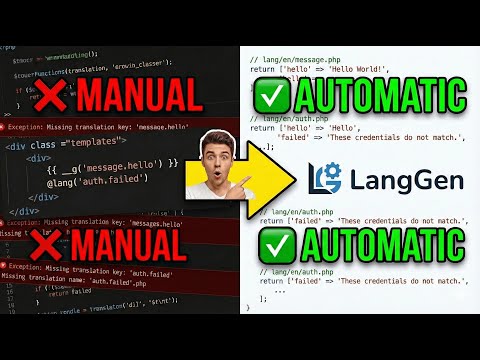
👉 Watch on YouTube: https://youtu.be/UCr1kR8rMy8
You can install the package via composer:
composer require azizdevfull/lang-gen --devOptionally, you can publish the configuration file:
php artisan vendor:publish --tag="lang-gen-config"Run the command to scan your codebase and generate missing keys for the default language (default: en):
php artisan lang:genTo generate translations for a specific language (e.g., Uzbek):
php artisan lang:gen uzThis will:
- Scan your configured directories (default:
app,resources/views,routes). - Find all translation keys (nested arrays and JSON strings).
- Create or update
lang/uz/messages.phpandlang/uz.json. - Populate missing keys with a readable default value (e.g., "Messages Welcome").
The configuration file config/lang-gen.php allows you to customize the behavior:
<?php

return [
    /*
    |--------------------------------------------------------------------------
    | Scanned Directories
    |--------------------------------------------------------------------------
    |
    | Here you may define the directories that LangGen should scan for
    | translation keys. By default, we scan the 'app', 'resources/views',
    | and 'routes' directories.
    |
    | You can add custom paths here, for example: base_path('Modules')
    |
    */
    'paths' => [
        base_path('app'),
        base_path('resources/views'),
        base_path('routes'),
    ],
    /*
    |--------------------------------------------------------------------------
    | Conflict Policy
    |--------------------------------------------------------------------------
    |
    | Determines how to handle specific key conflicts.
    |
    | Scenario:
    | You have an existing key as a string: 'messages.home' => 'Home'
    | But your code now uses a nested key:  __('messages.home.title')
    |
    | Options:
    | 'preserve'  - Keeps the existing string value. The new nested key is skipped/ignored.
    | 'overwrite' - Replaces the existing string with an array to allow the new nested key.
    |
    */
    'conflict_policy' => 'overwrite', // 'preserve' or 'overwrite'

    /*
    |--------------------------------------------------------------------------
    | Default Language
    |--------------------------------------------------------------------------
    |
    | The default language code to generate translations for.
    | Examples: 'en', 'uz', 'ru'.
    |
    */
    'default_lang' => 'uz',

];In your code (resources/views/welcome.blade.php):
<h1>{{ __('home.hero.title') }}</h1>
<p>@lang('home.hero.subtitle')</p>
Run command:
php artisan lang:gen enResult (lang/en/home.php):
<?php

return [
    'hero' => [
        'title' => 'Home Hero Title',
        'subtitle' => 'Home Hero Subtitle',
    ],
];In your code:
<button>{{ __('Create Account') }}</button>Result (lang/en.json):
{
    "Create Account": "Create Account"
}composer testIf you discover any security related issues, please email aziz16110904@gmail.com instead of using the issue tracker.
The MIT License (MIT). Please see License File for more information.