A lightweight, modern blog application built with React frontend and PocketBase backend for effortless content management. This project demonstrates a clean, minimalist approach to building a blog with responsive design.
⚠️ Important Notice: This project was created as a learning exercise to practice React and TypeScript. While functional, some implementations may not follow production-best practices. Please review the code carefully and understand the architecture before using in production environments.
- Modern React Frontend - Built with the latest React features and hooks
- PocketBase Backend - Lightweight, file-based database with built-in admin UI
- Responsive Design - Clean, card-based layout that works on all devices
- Minimalist UI - Focus on content readability and user experience
- Easy Content Management - Add, edit, and manage articles through PocketBase
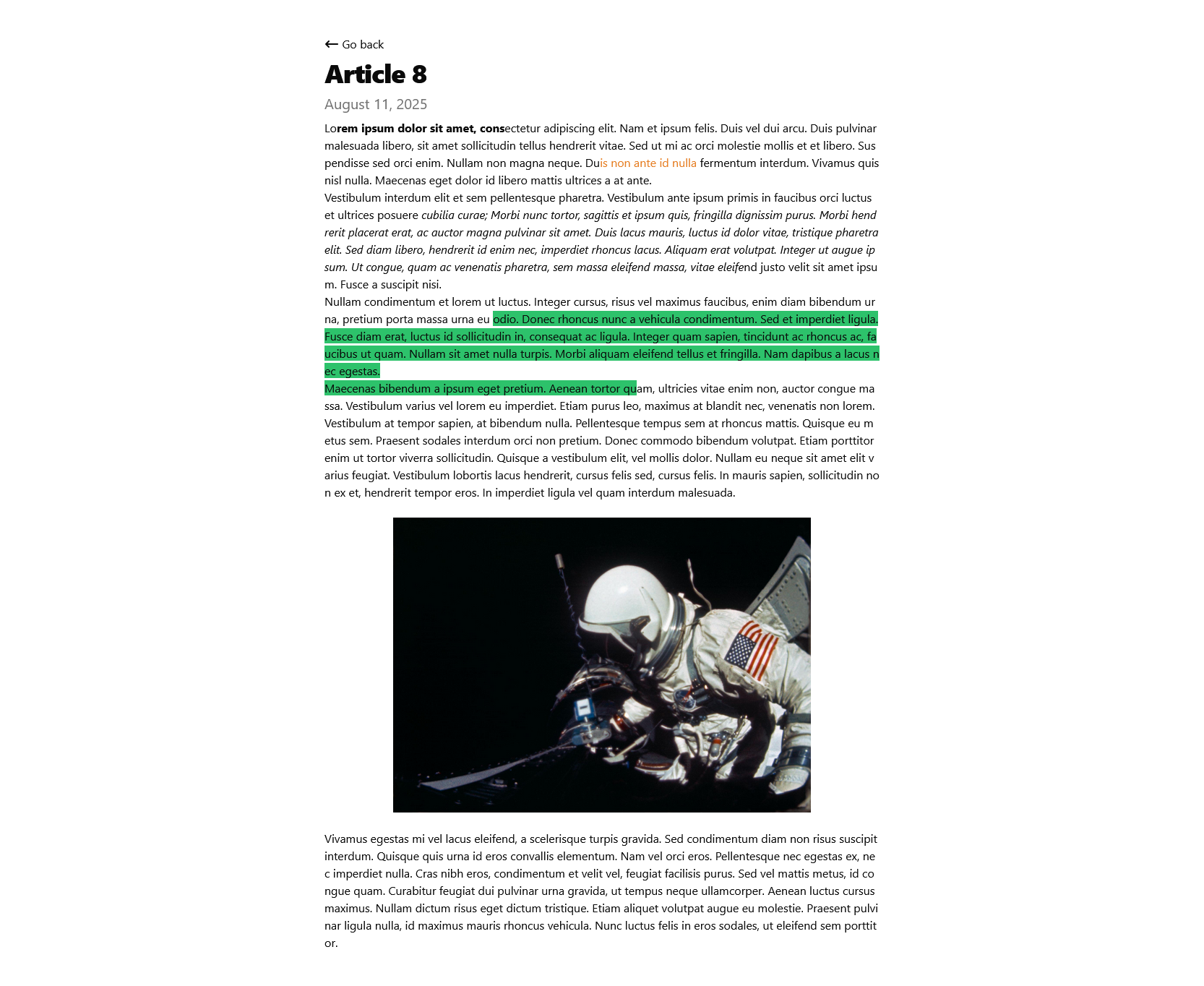
- Rich Text Styling - Create custom styling in PocketBase's rich editor including text formatting, colors, bold fonts, and more (similar to Microsoft Word), with results displayed seamlessly on the blog page
- React - JavaScript library for building user interfaces
- Vite - Next-generation frontend tooling with lightning-fast HMR (Hot Module Replacement)
- TypeScript - Strongly typed programming language that builds on JavaScript, providing better tooling and error detection
- ShadcnUI & Font Awesome - Modern UI component library (ShadcnUI) combined with comprehensive icon library (Font Awesome) for beautiful, accessible interface elements
- PocketBase - Open-source backend with database, auth, and real-time features
- SQLite - Embedded database (handled by PocketBase)
Before running this project, make sure you have:
git clone https://github.com/baidys/react-pocketbase-blog.git
cd react-pocketbase-blog
npm install
-
Download PocketBase from pocketbase.io
-
Extract the executable to your project root
-
Start PocketBase:
./pocketbase serve -
Open http://localhost:8090/_/ to access the admin UI
-
Create an admin account when prompted
In the PocketBase admin UI, create a new collection called posts with the following fields:
Important: In the API rules section, make sure to set the List/Search rule to allow public access (change from "superusers only" to empty for public access). The default value restricts access to superusers only.
| Field Name | Type | Required | Options |
|---|---|---|---|
title |
Text | ✅ | - |
description |
Text | ✅ | - |
content |
Rich editor | ✅ | - |
created |
Date | ✅ | Auto-generated |
updated |
Date | ✅ | Auto-generated |
- API Rules: Configure read permissions to allow public access for the blog to function properly
You can either:
- Use the PocketBase admin UI to manually add articles
- Import the provided sample data
Update the API endpoint in your React app to match your PocketBase URL:
// src/hooks/usePosts.tsx
const API_BASE_URL = 'http://localhost:8090'
npm run dev
The app will be available at http://localhost:5173/
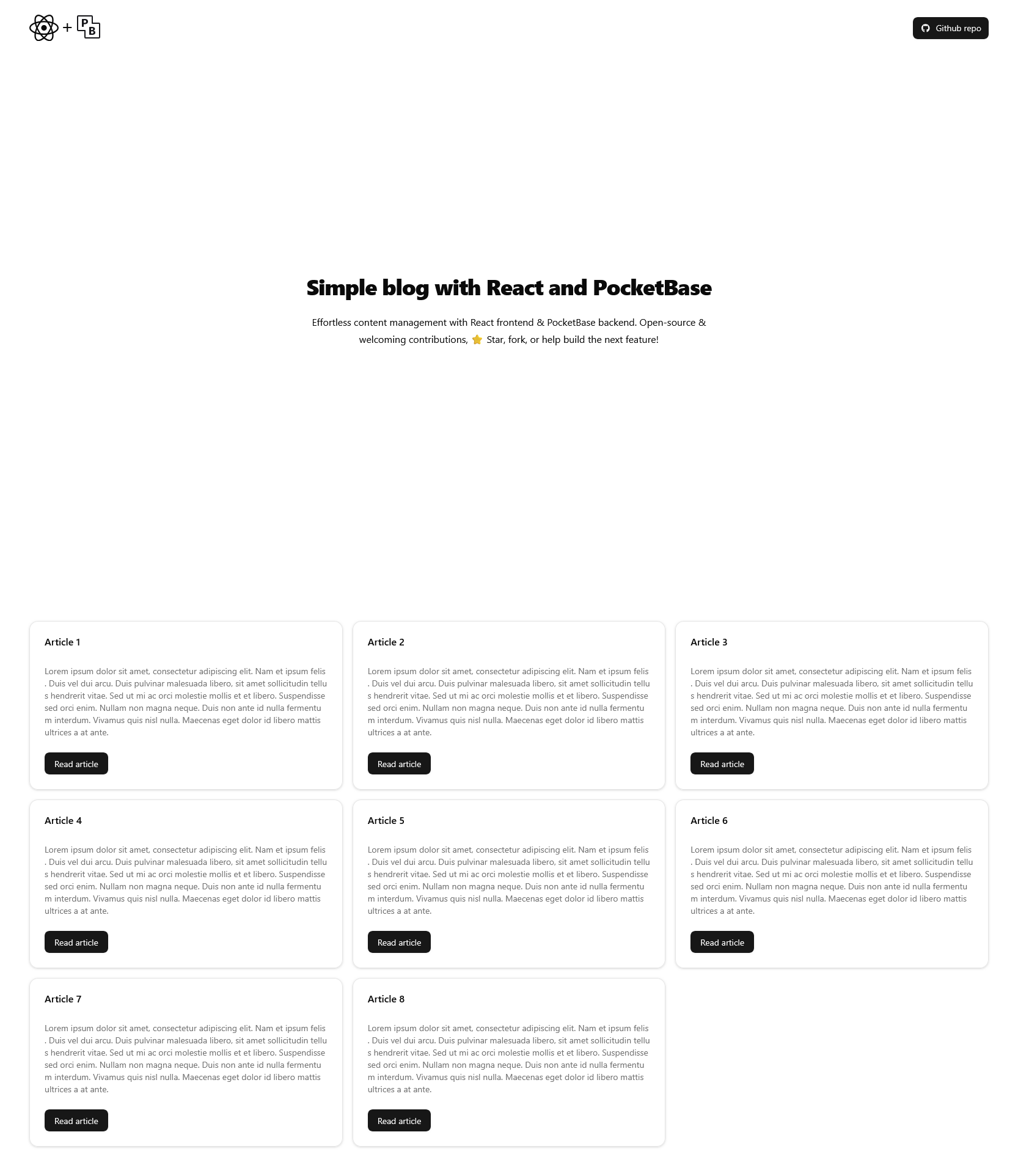
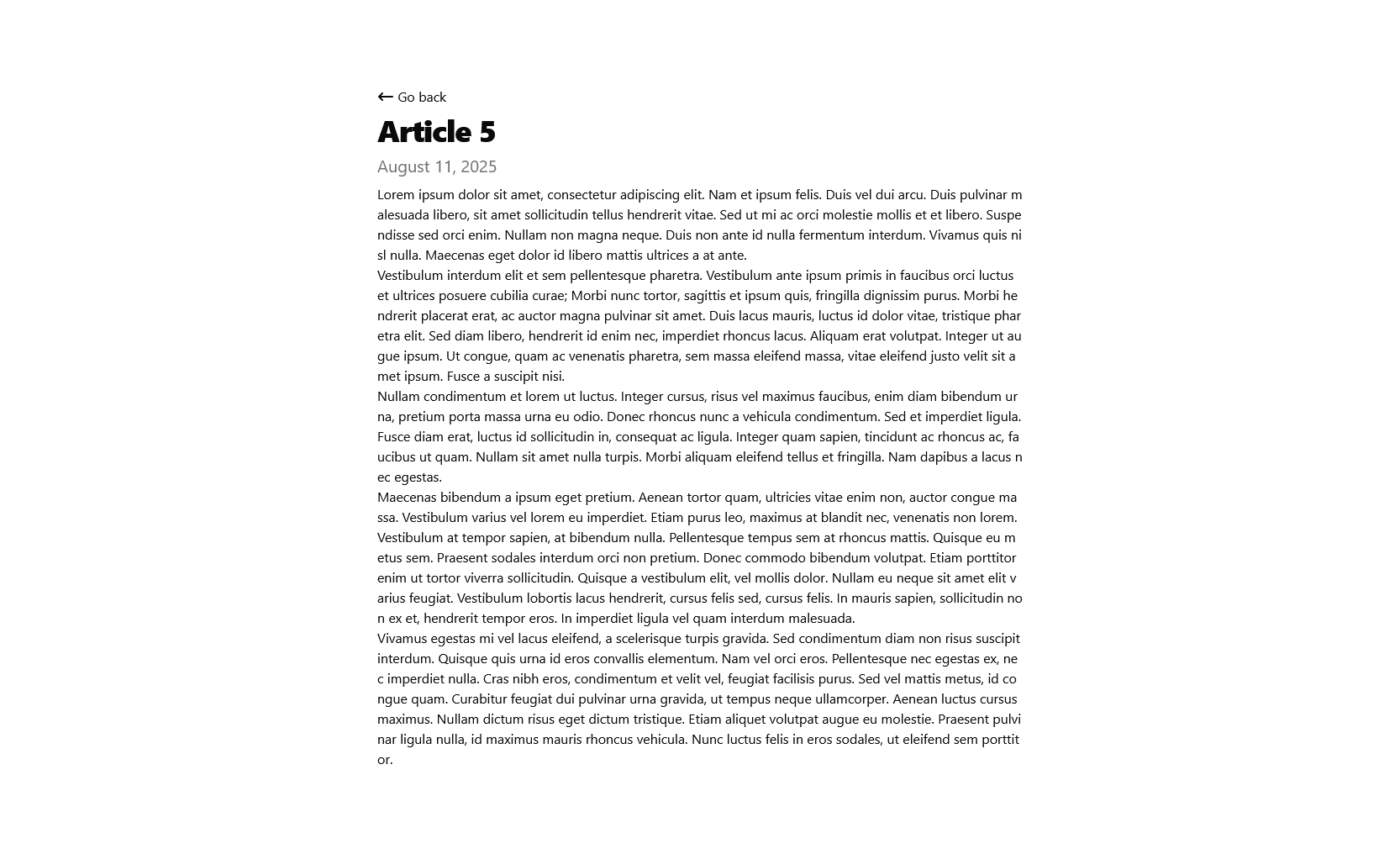
The main blog interface showcasing the clean, responsive design with article cards.
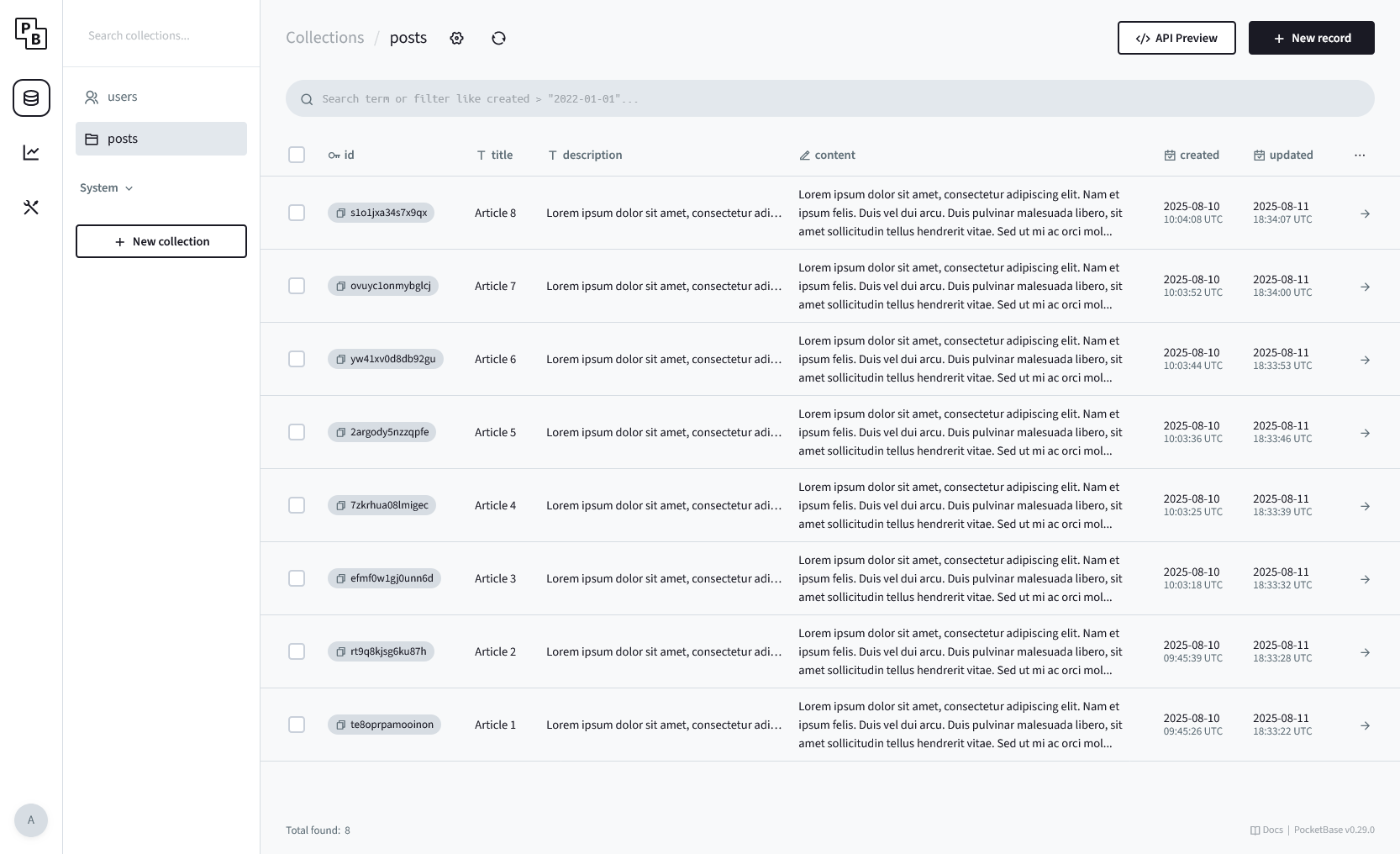
The backend administrative interface for content management.
This project is highly customizable! You can extend the PocketBase schema by adding additional fields such as:
- Tags for article categorization
- Author information
- Featured images
- Publication status
- SEO metadata
Important: When you modify the PocketBase schema, make sure to update the usePosts hook in src/hooks/usePosts.tsx to handle the new fields. You can also customize the styling throughout the application to match your design preferences.
For a better understanding of the project architecture, see the next section and refer to the PocketBase documentation.
Based on the Vite + React + TypeScript template, here's the project organization:
react-pocketbase-blog/
├── node_modules/           # Dependencies
├── public/                 # Static assets
├── src/                    # Source code
│   ├── components/         # React components
│   │   └── ui/            # UI components (ShadcnUI)
│   │       ├── ErrorElement.tsx
│   │       ├── Home.tsx
│   │       ├── Navbar.tsx
│   │       └── PostPage.tsx
│   ├── hooks/              # Custom React hooks
│   │   └── usePosts.tsx    # PocketBase data fetching
│   ├── lib/                # Utility libraries
│   ├── AppRouter.tsx       # Route configuration
│   ├── index.css           # Global styles
│   └── main.tsx            # Application entry point
├── .gitignore              # Git ignore rules
├── components.json         # ShadcnUI configuration
├── eslint.config.js        # ESLint configuration
├── index.html              # HTML template
├── package.json            # Project dependencies
├── package-lock.json       # Dependency lock file
├── README.md               # This file
├── tsconfig.app.json       # TypeScript config (app)
├── tsconfig.json           # TypeScript config (root)
├── tsconfig.node.json      # TypeScript config (Node)
└── vite.config.ts          # Vite configuration
⚠️ Development Project Warning: This project is a learning exercise for practicing React and TypeScript. Some implementations may not follow production best practices. Please review the code thoroughly and ensure you understand the architecture before deploying to production environments.
- Build the React app:
npm run build
- Deploy the
distfolder to your favorite hosting provider
Deploy PocketBase to your preferred hosting service and update the API URL in src/hooks/usePosts.tsx with your production PocketBase URL.
Contributions are welcome! Here's how you can help:
- Fork the repository
- Create a feature branch (
git checkout -b feature/amazing-feature) - Commit your changes (
git commit -m 'Add some amazing feature') - Push to the branch (
git push origin feature/amazing-feature) - Open a Pull Request
- Follow React best practices and hooks patterns
- Keep components small and focused
- Use semantic HTML and accessible markup
- Write clean, readable code (consider using code formatters like Prettier)
- Test your changes across different screen sizes
- Ensure TypeScript types are properly defined
This project is licensed under the MIT License - see the LICENSE file for details.
This project was bootstrapped with Vite's React + TypeScript template. For more information about the base configuration, see below:
This template provides a minimal setup to get React working in Vite with HMR and some ESLint rules.
Currently, two official plugins are available:
- @vitejs/plugin-react uses Babel for Fast Refresh
- @vitejs/plugin-react-swc uses SWC for Fast Refresh
For production applications, consider updating the ESLint configuration to enable type-aware lint rules as detailed in the original Vite documentation.
⭐ Star this repo if you found it helpful!
Made with ❤️ by baidys