


Simple and Modern Geolocation for React Native — Powered by Nitro Modules with JSI
A complete reimplementation of @react-native-community/geolocation for the React Native New Architecture, featuring:
- 🎯 Simple functional API — Direct function calls, no complex abstractions
- ⚡ JSI-powered performance — Direct native calls without the Bridge
- 🔁 100% API compatibility via
/compatfor easy migration - 🧹 Automatic cleanup — No manual subscription management
- 📱 Consistent behavior across iOS and Android
- 🛠️ DevTools Plugin — Mock locations with interactive map (Rozenite)
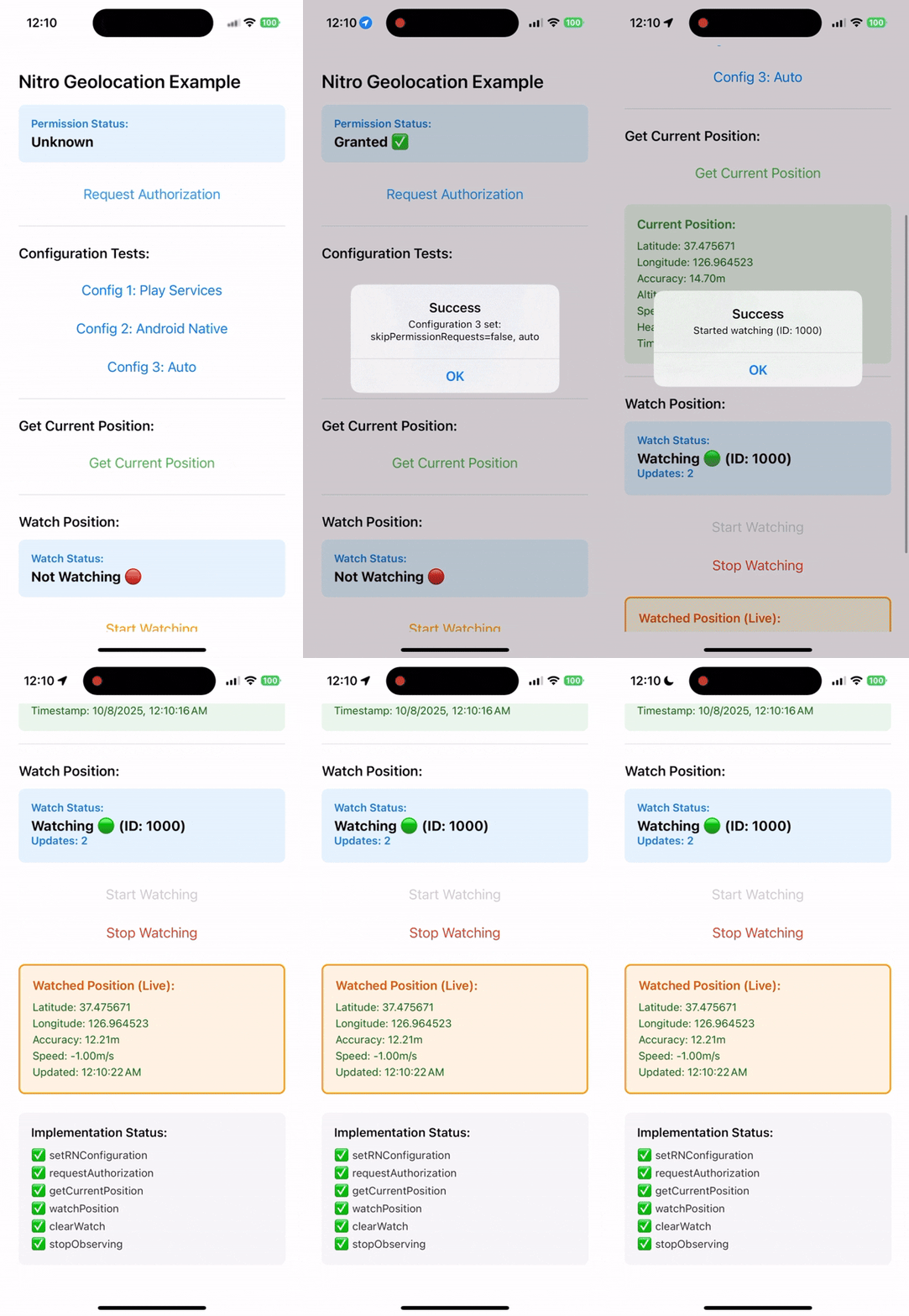
Full documentation available at: 👉 https://react-native-nitro-geolocation.pages.dev
React Native Nitro Geolocation provides two APIs to fit your needs:
Simple functional API with direct calls and a single hook for tracking:
import {
  setConfiguration,
  requestPermission,
  getCurrentPosition,
  useWatchPosition,
} from "react-native-nitro-geolocation";

// Configure once at app startup
setConfiguration({
  authorizationLevel: "whenInUse",
  locationProvider: "auto",
});

// Request permission
const status = await requestPermission();

// Get current location
const position = await getCurrentPosition({
  enableHighAccuracy: true,
});

// Continuous tracking with hook
function LocationTracker() {
  const { position, error, isWatching } = useWatchPosition({
    enabled: true,
    enableHighAccuracy: true,
    distanceFilter: 10,
  });

  if (error) return <Text>Error: {error.message}</Text>;
  if (!position) return <Text>Waiting...</Text>;

  return (
    <Text>
      {position.coords.latitude}, {position.coords.longitude}
    </Text>
  );
}Benefits:
Drop-in replacement for @react-native-community/geolocation:
import Geolocation from "react-native-nitro-geolocation/compat";

Geolocation.getCurrentPosition(
  (position) => console.log(position),
  (error) => console.error(error),
  { enableHighAccuracy: true }
);

const watchId = Geolocation.watchPosition((position) => console.log(position));
Geolocation.clearWatch(watchId);# Install Nitro core and Geolocation module
yarn add react-native-nitro-modules react-native-nitro-geolocation
# or using npm
npm install react-native-nitro-modules react-native-nitro-geolocationRebuild your native app:
cd ios && pod installAdd permissions to your Info.plist:
<key>NSLocationWhenInUseUsageDescription</key>
<string>This app requires access to your location while it's in use.</string>
<key>NSLocationAlwaysAndWhenInUseUsageDescription</key>
<string>This app requires access to your location at all times.</string>Add permissions to AndroidManifest.xml:
<uses-permission android:name="android.permission.ACCESS_FINE_LOCATION" />
<uses-permission android:name="android.permission.ACCESS_COARSE_LOCATION" />
Optional (for background):
<uses-permission android:name="android.permission.ACCESS_BACKGROUND_LOCATION" />Prerequisites: Requires Rozenite DevTools to be installed.
API Compatibility: Only works with the Modern API. Does not support the Legacy API (
/compat).
Mock geolocation data during development with an interactive map interface:
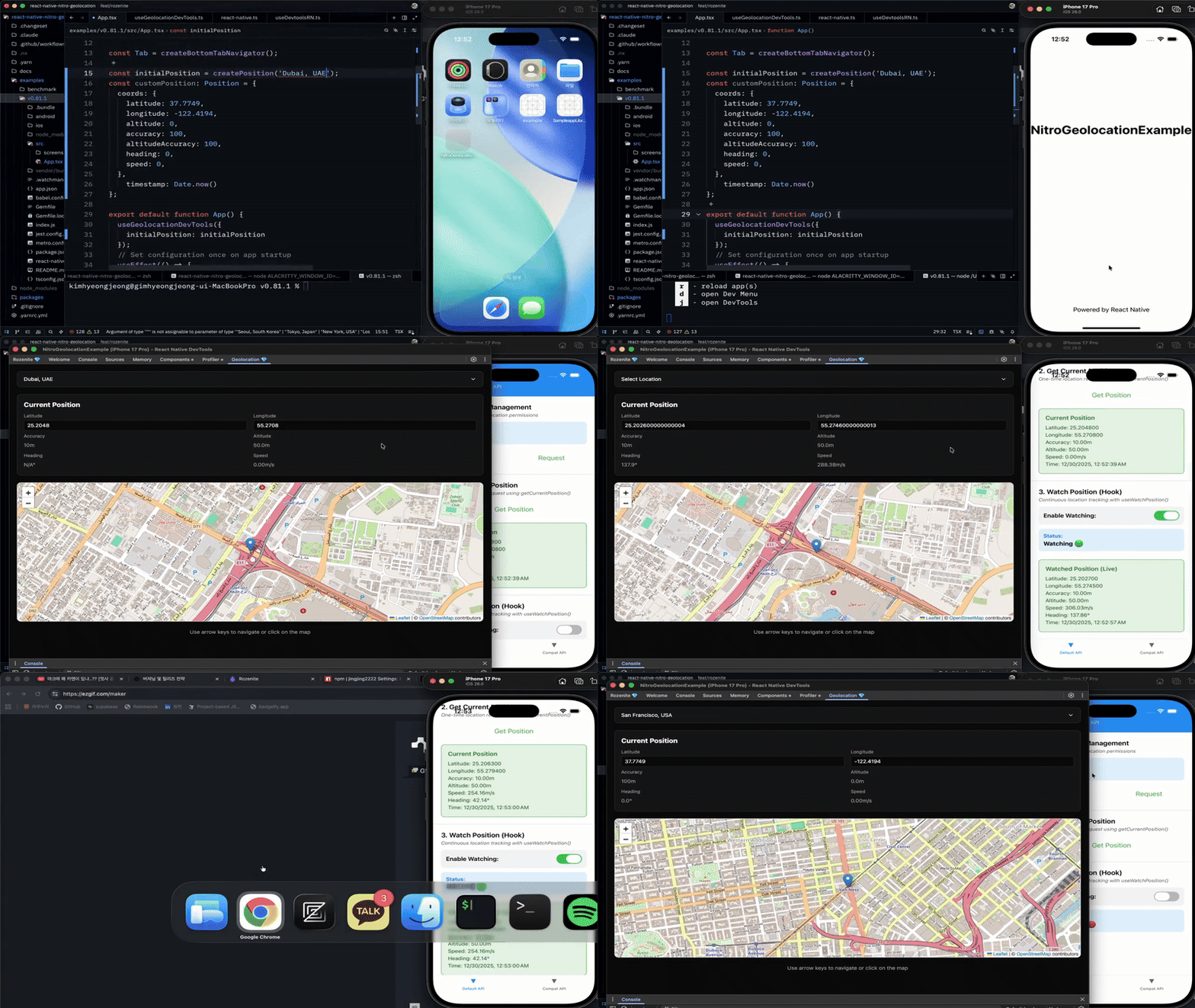
npm install @react-native-nitro-geolocation/rozenite-plugin
# or
yarn add @react-native-nitro-geolocation/rozenite-pluginSetup:
import {
  useGeolocationDevTools,
  createPosition,
} from "@react-native-nitro-geolocation/rozenite-plugin";

function App() {
  // Enable location mocking in development
  useGeolocationDevTools({
    initialPosition: createPosition("Seoul, South Korea"),
  });

  return <YourApp />;
}Features:
- 🗺️ Interactive Leaflet map interface
- 📍 Click to set location instantly
- ⌨️ Arrow key navigation for precise control
- 🏙️ 20 pre-configured city presets
- ✏️ Manual latitude/longitude input
- 📊 Real-time heading, speed, and accuracy calculation
- 🌓 Dark mode support
// Get current location
const position = await getCurrentPosition({ enableHighAccuracy: true });

// Real-time tracking with hook
const { position, error } = useWatchPosition({
  enabled: true,
  distanceFilter: 10
});import Geolocation from "react-native-nitro-geolocation/compat";
Geolocation.getCurrentPosition((pos) => console.log(pos));
const watchId = Geolocation.watchPosition((pos) => console.log(pos));
Geolocation.clearWatch(watchId);Change the import to use /compat — 100% API compatible:
- import Geolocation from '@react-native-community/geolocation';
+ import Geolocation from 'react-native-nitro-geolocation/compat';- Introduction
- Quick Start Guide
- Modern API Reference
- Legacy API Reference
- DevTools Plugin Guide
- Why Nitro Module?
- Benchmark Results
Unlicense — This project is released into the public domain.