Build collaborative intranet pages directly in Nextcloud with a powerful drag-and-drop editor.
IntraVox brings SharePoint-style page creation to Nextcloud, enabling teams to build intranets, knowledge bases, and collaborative workspaces within their secure Nextcloud environment.
See IntraVox in action: drag-and-drop editing, navigation, and responsive design
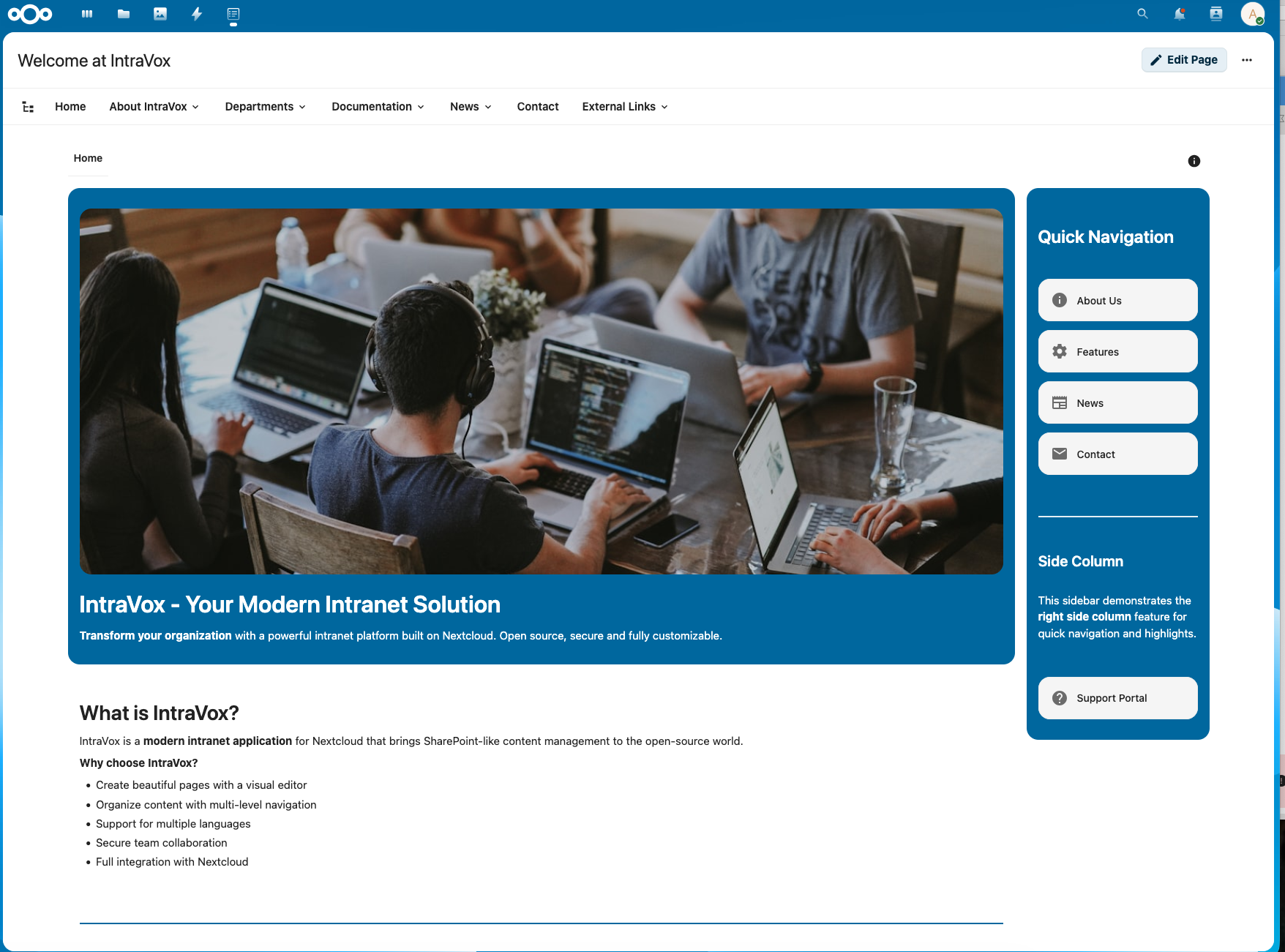
Professional pages with drag-and-drop editing and smart navigation
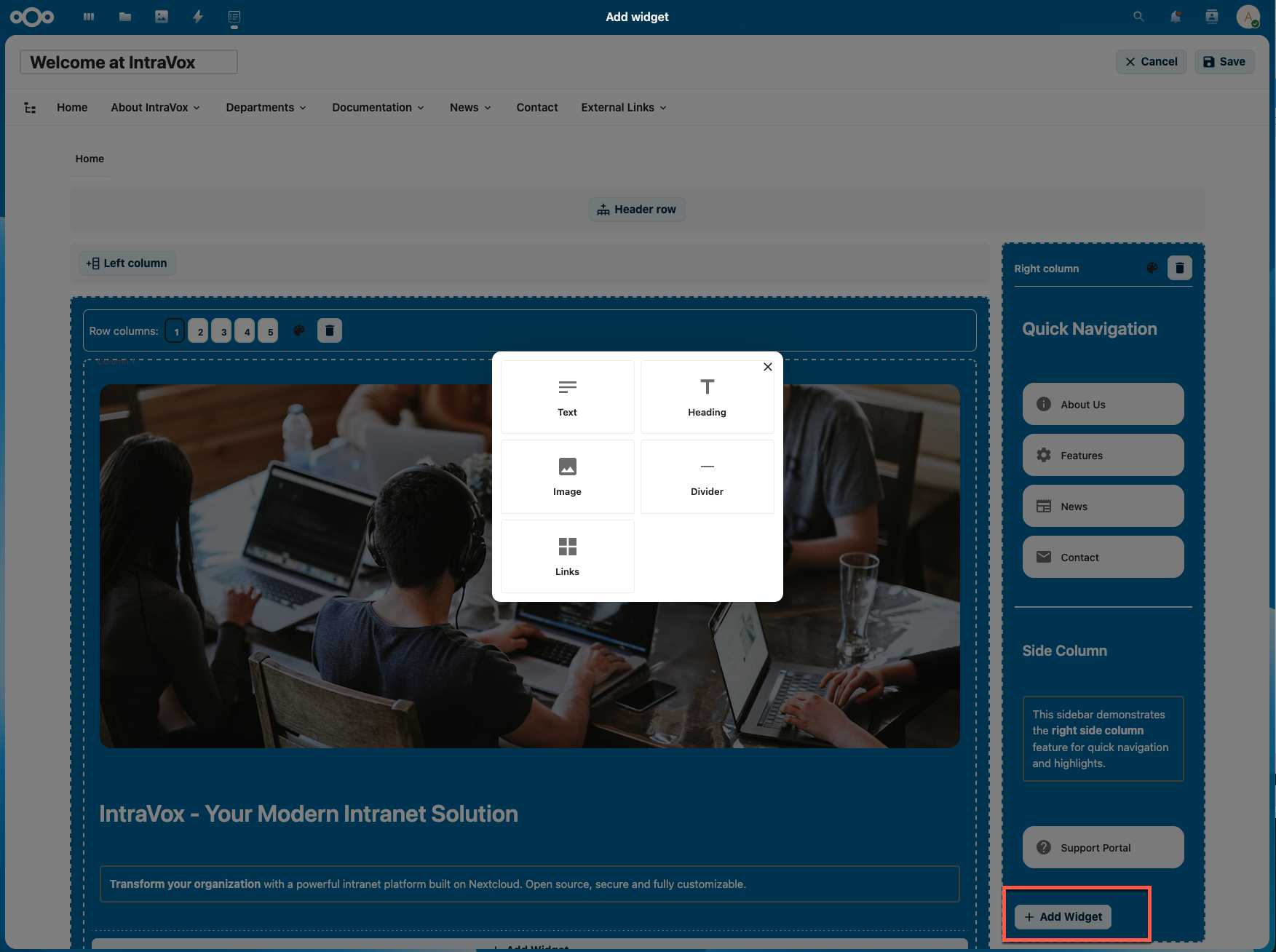
Visual editor with flexible layouts and intuitive widget management
Responsive design across desktop, tablet, and mobile
- Visual Drag-and-Drop Editor - Create pages without coding. Drag widgets where you need them
- Flexible Grid System - Build layouts with 1-5 columns per row
- Row Background Colors - Theme-aware colors that adapt to your Nextcloud theme
- Header Row - Full-width header section above the main content
- Side Columns - Optional left and/or right side columns for additional content
- Unlimited Rows - Add as many content rows as needed
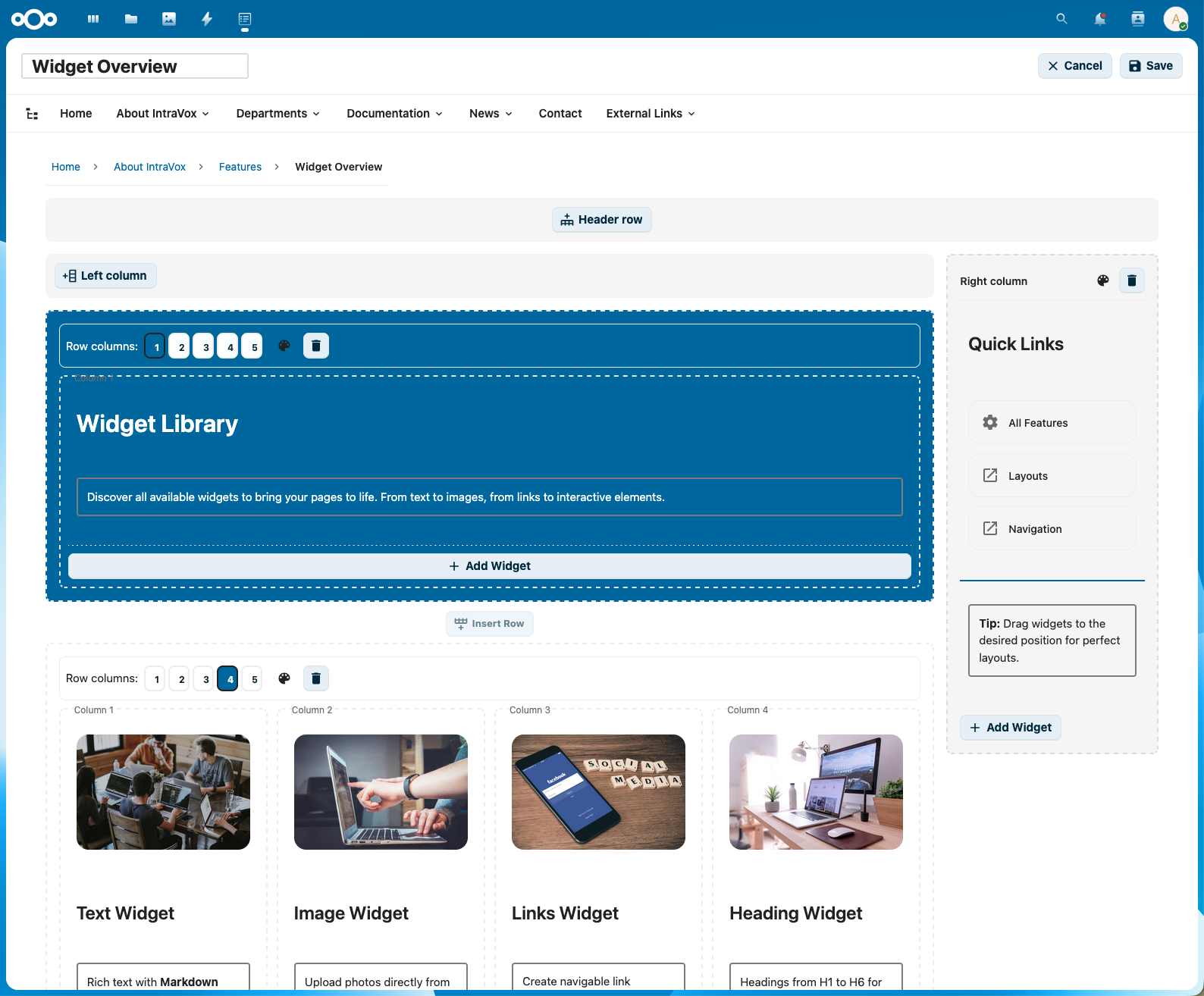
Widget palette with all available content types
| Widget | Description |
|---|---|
| Text | Rich text with full Markdown support (bold, italic, lists, links, tables) |
| Heading | H1-H6 headers with customizable styling |
| Image | Visual content with flexible sizing, optional clickable links to pages or external URLs |
| Video | Embed videos from YouTube, Vimeo, PeerTube, or upload local videos |
| Links | Multi-link grid widget (1-5 columns) with Material Design icons |
| Divider | Visual separator that adapts to row background color |
- Customizable Navigation - Build your own navigation structure
- Three Navigation Levels - Support for deep page hierarchies
- Two Display Modes - Choose between dropdown or megamenu style
- External Links - Link to external URLs alongside internal pages
- Page Structure View - Tree view of all accessible pages
- Mobile Menu - Collapsible hamburger menu on mobile devices
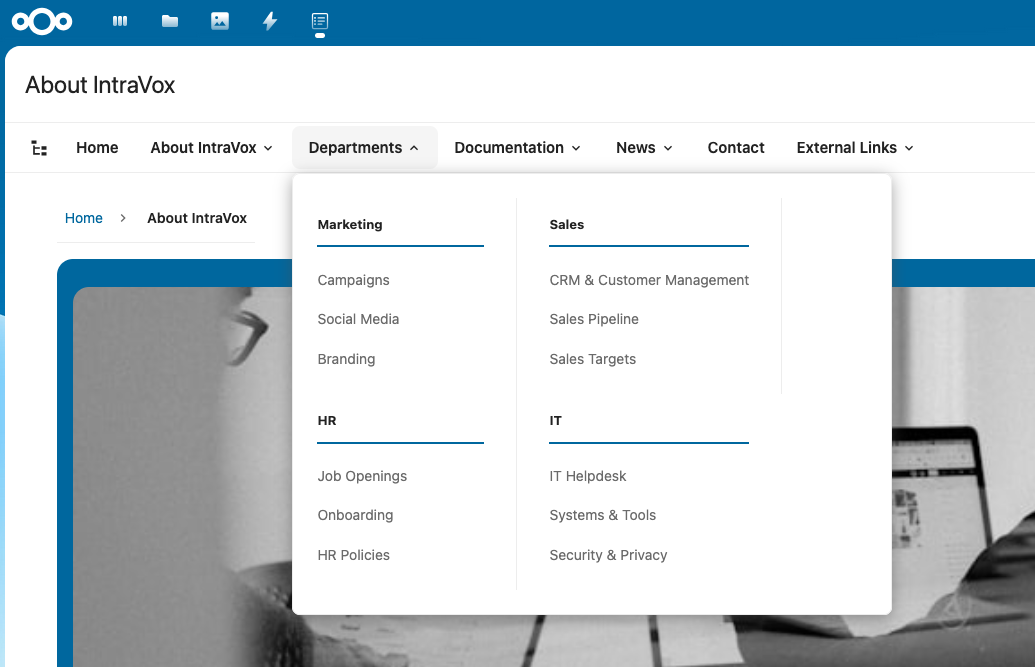
Megamenu navigation with all sections visible
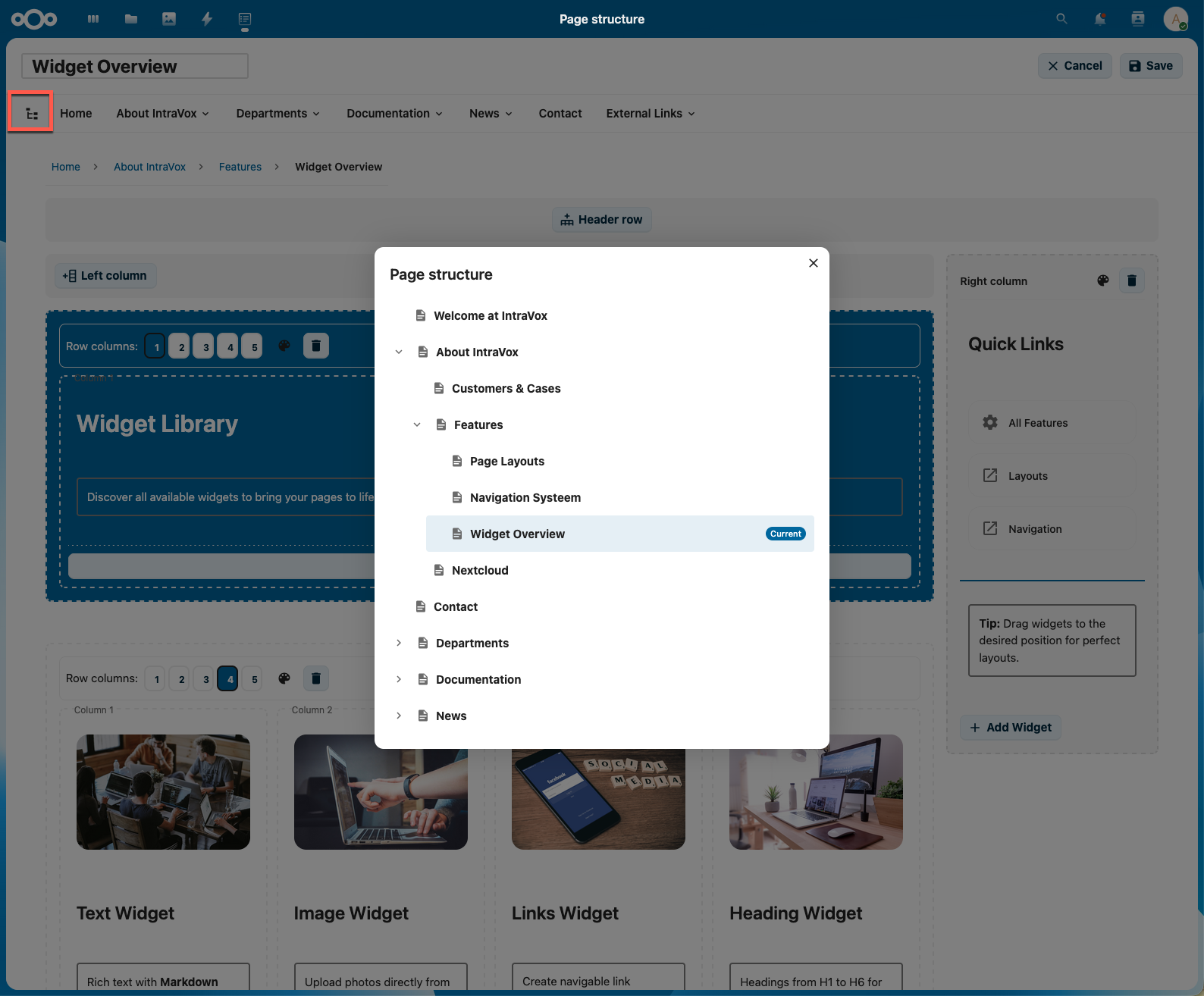
Page structure view for easy content management
- Page Reactions - Users can react to pages with emoji (👍❤️🎉😊🤔👀🚀💯 etc.)
- Comments - Full commenting system with threaded replies (1 level deep)
- Comment Reactions - React to individual comments with emoji
- Admin Control - Enable/disable reactions and comments globally
- Page-Level Settings - Override engagement settings per page
- Multi-Language Support - Separate content per language (Dutch, English, German, French)
- Nested Pages - Create pages inside other pages for hierarchical organization
- Footer - Editable footer section on the homepage
- Breadcrumb Navigation - Automatic breadcrumb trail for easy navigation
- Nextcloud Native Permissions - Uses GroupFolder ACL for access control
- Folder-Level Permissions - Set different permissions per folder/page
- Permission-Based Filtering - Navigation only shows pages the user can access
- Real-Time Permission Checks - Changes take effect immediately
- Engagement Settings - Enable/disable page reactions, comments, and comment reactions
- Video Embed Domains - Configure which video platforms are allowed
- Privacy-First Defaults - YouTube privacy mode and PeerTube enabled by default
- Custom Video Servers - Add your own PeerTube or video hosting domains
- Demo Data Management - Install or reinstall demo content per language
- Welcome Screen - New installations show an onboarding guide with clear next steps
- Quick Setup - Install demo data with one click to see IntraVox in action
- Documentation Links - Direct links to Admin Settings and GitHub documentation
- Nextcloud Unified Search - Search pages via Ctrl+K with IntraVox app icon
- Nextcloud Comments API - Reactions and comments use native Nextcloud infrastructure
- MetaVox Integration - Add metadata to pages (when MetaVox app is installed)
- Files App Integration - Pages stored as JSON files in GroupFolder
- Responsive Design - Works on desktop, tablet, and mobile
- Smart Caching - Intelligent cache refresh reduces unnecessary API calls by 50%
- localStorage Persistence - Cache survives browser refresh for instant page loads
- Lazy Loading - Sidebar tabs and data load on-demand
IntraVox includes demo content to help you get started quickly. Install demo data directly from the Admin Settings panel.
- Go to Nextcloud Admin Settings → IntraVox
- Choose a language (Nederlands, English, Deutsch, Français)
- Click Install to set up demo content
The demo pages showcase:
- Different page layouts (single column, multi-column, side columns)
- Various widget types (text, headings, images, videos, links, dividers)
- Clickable images linking to pages and external URLs
- Embedded video examples from different platforms
- Navigation structure examples
- Department page organization
- Row background color options
If you want to reset demo content to its original state:
- Go to Admin Settings → IntraVox
- Click Reinstall next to the language
- Confirm the action (this will delete all existing demo content for that language)
Note: The demo content is fictional and intended only to demonstrate IntraVox's capabilities. Replace it with your organization's actual content.
- Company Intranets - Digital workplace with news, resources, and team information
- Knowledge Bases - Documentation that's easy to navigate and maintain
- Team Wikis - Collaborative knowledge sharing
- Project Hubs - Centralized project information and resources
- Department Portals - Dedicated spaces for teams to share information
| Component | Minimum | Recommended |
|---|---|---|
| Nextcloud | 32+ | 32+ |
| PHP | 8.1+ | 8.2+ |
| PHP memory_limit | 256MB | 512MB |
| GroupFolders app | Required | Required |
⚠️ Important: The default PHP memory_limit of 128MB is insufficient for IntraVox. Demo data installation requires at least 256MB. Update yourphp.iniif needed.
- Install the GroupFolders app from Nextcloud App Store
- Install IntraVox from Nextcloud App Store
- Go to Admin Settings → IntraVox and install demo data for your preferred language
- The
IntraVoxGroupFolder and permission groups are created automatically - Assign users to the IntraVox groups or configure custom access via GroupFolder ACL
Fresh Installation: On a new Nextcloud instance, simply install IntraVox and click "Install" for any demo language. The GroupFolder, groups, and permissions are set up automatically.
IntraVox uses Nextcloud's GroupFolder permissions. Recommended group structure:
| Group | Permissions | Description |
|---|---|---|
| IntraVox Admins | Full access | Edit navigation, manage all content |
| IntraVox Editors | Read + Write + Create | Create and edit pages |
| IntraVox Users | Read only | View content only |
IntraVox/
├── en/                          # English content
│   ├── home.json               # Homepage
│   ├── navigation.json         # Navigation configuration
│   ├── footer.json             # Footer content
│   ├── _media/                 # Shared media folder (images, videos)
│   └── about/                  # Page folder
│       ├── about.json          # Page content
│       └── _media/             # Page-specific media
├── nl/                          # Dutch content
│   └── ...
├── de/                          # German content
│   └── ...
└── fr/                          # French content
    └── ...
| Component | Technology |
|---|---|
| Frontend | Vue.js 3, Nextcloud Vue components |
| Backend | PHP 8.x, Nextcloud AppFramework |
| Storage | Nextcloud GroupFolders (JSON files) |
| Authorization | Nextcloud native permissions + ACL |
| Build | Webpack, npm |
Pages are stored as JSON files with the following structure:
{
    "uniqueId": "page-uuid-v4",
    "title": "Page Title",
    "language": "en",
    "layout": {
        "columns": 1,
        "rows": [...],
        "headerRow": {...},
        "sideColumns": {...}
    }
}| Method | Endpoint | Description |
|---|---|---|
| GET | /api/pages |
List all accessible pages |
| GET | /api/pages/{id} |
Get page content |
| POST | /api/pages |
Create new page |
| PUT | /api/pages/{id} |
Update page |
| DELETE | /api/pages/{id} |
Delete page |
| GET | /api/navigation |
Get navigation structure |
| POST | /api/navigation |
Save navigation |
| GET | /api/pages/{id}/comments |
Get comments for a page |
| POST | /api/pages/{id}/comments |
Add a comment |
| GET | /api/pages/{id}/reactions |
Get page reactions |
| POST | /api/pages/{id}/reactions/{emoji} |
Add page reaction |
| GET | /api/settings/engagement |
Get engagement settings |
# Install dependencies
npm install

# Development build with watch
npm run dev

# Production build
npm run build# Deploy to server
./deploy.sh- Authorization Guide - User and administrator permissions guide
- Architecture - Technical architecture documentation
- Engagement User Guide - How to use reactions and comments
- Engagement Admin Guide - Configure engagement settings
- Engagement Architecture - Technical engagement details
AGPL-3.0
Rik Dekker - Shalution
Built with:
- Nextcloud - Open-source content collaboration platform
- Vue.js - Progressive JavaScript framework
- SortableJS - Drag-and-drop functionality
- TipTap - Rich text editor