Device drivers for the OpenAVC open-source AV control platform.
This repository contains community-maintained device drivers for AV equipment — projectors, displays, switchers, DSPs, cameras, lighting controllers, and more. Drivers are installed directly from the OpenAVC Programmer IDE.
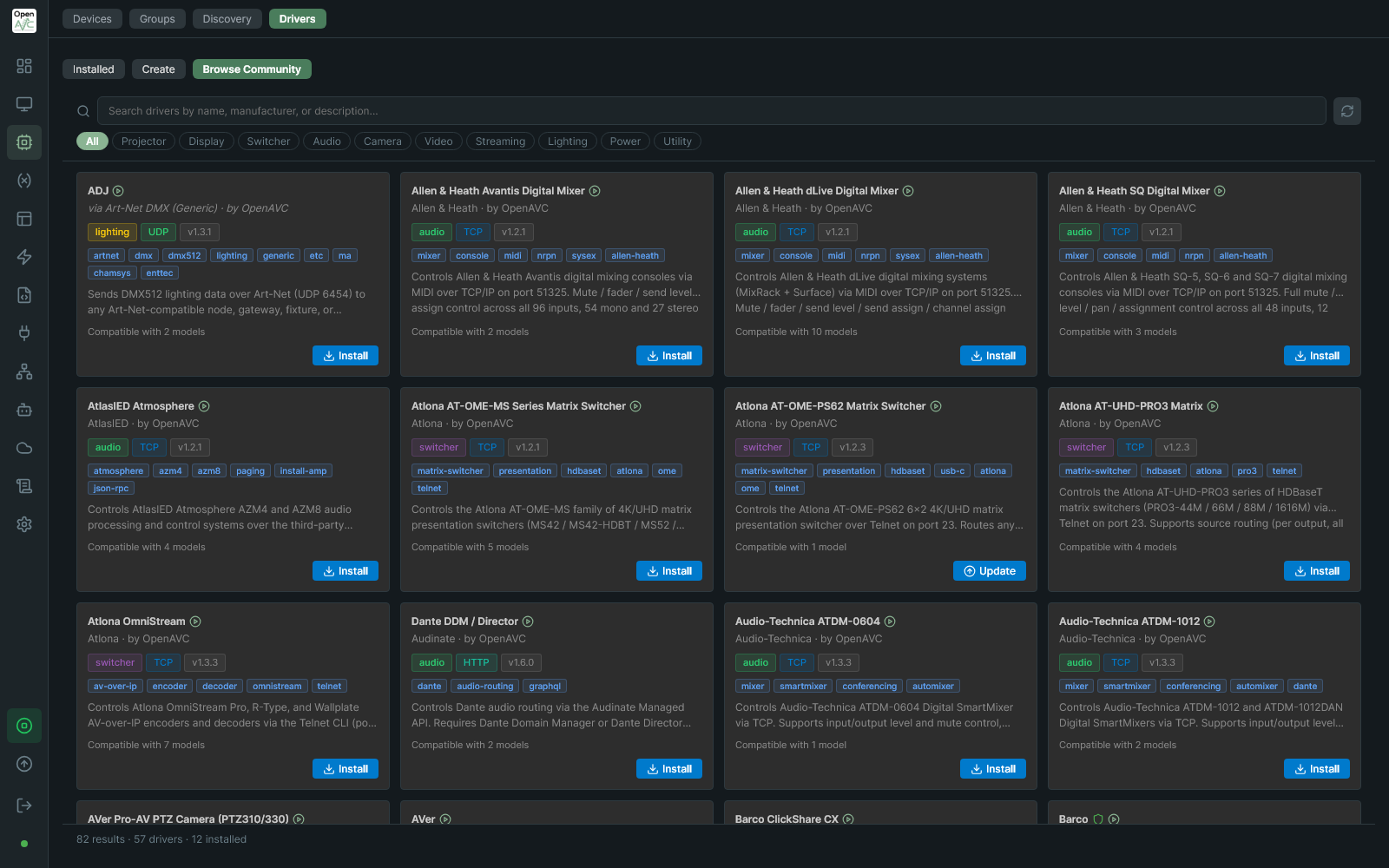
Browse Community Drivers in the OpenAVC Programmer IDE. Click to enlarge.
| Format | Extension | Use Case |
|---|---|---|
| YAML definition | .avcdriver |
Text-based protocols (Extron SIS, Kramer, Biamp, Shure, etc.). No code required — just define commands, responses, and polling. |
| Python driver | .py |
Complex protocols requiring binary framing, checksums, multi-step auth, or external libraries (Samsung MDC, VISCA, etc.). |
Most AV protocols are text-based command/response and work great as .avcdriver YAML files. Python drivers are only needed when the protocol requires logic that can't be expressed declaratively.
In the OpenAVC Programmer IDE:
- Go to the Drivers view
- Click Browse Drivers
- Search or filter by category/manufacturer
- Click Install
Or import a driver file manually via Import in the Driver Builder.
projectors/          # Projector control (PJLink, Sony ADCP, etc.)
displays/            # Commercial displays (Samsung, LG, NEC, Sony)
switchers/           # Matrix switchers, presentation switchers, scalers
audio/               # DSPs, mixers, amplifiers, microphones
video/               # Video production software (vMix, OBS, Wirecast, TriCaster)
cameras/             # PTZ cameras (VISCA, Panasonic AW, etc.)
lighting/            # DMX, Art-Net, sACN, architectural lighting
utility/             # Wake-on-LAN, relays, generic TCP/serial, bridges
index.json           # Driver catalog (used by the Browse Drivers UI)
- Create your driver using the Driver Builder in the Programmer IDE (exports
.avcdriver) or write a Python driver - Test it against real hardware or a simulator
- Fork this repo, add your driver to the appropriate category folder
- Run
python scripts/build_index.pyto regenerateindex.jsonanddevices.json(these are generated artifacts — do not edit them by hand) - Submit a pull request
See the Contributing Guide for the full checklist, and the Driver Creation Guide in the main repo for complete documentation on YAML and Python driver formats.
If you use an AI coding assistant, point it to AGENTS.md in this repository. It covers naming, layout, driver metadata, validation, worked examples and the runtime gotchas, and it points at the two things that define the driver contract itself: the generated avcdriver.schema.json and pythondriver.schema.json in this repository's root, and the Creating Drivers guide. Run python scripts/build_index.py --check to validate the result before submitting.
Run the build script before submitting a pull request. It validates the schema and regenerates index.json / devices.json:
python scripts/build_index.py            # Validate + regenerate
python scripts/build_index.py --check # Validate only (what CI runs)All drivers in this repository are released under the MIT License. By contributing, you agree to license your driver under MIT.