Community plugin repository for OpenAVC — the open-source AV room control platform.
Plugins extend OpenAVC with system-wide integrations, control surfaces, sensors, and services that go beyond single-device protocol translation (which is what drivers are for).
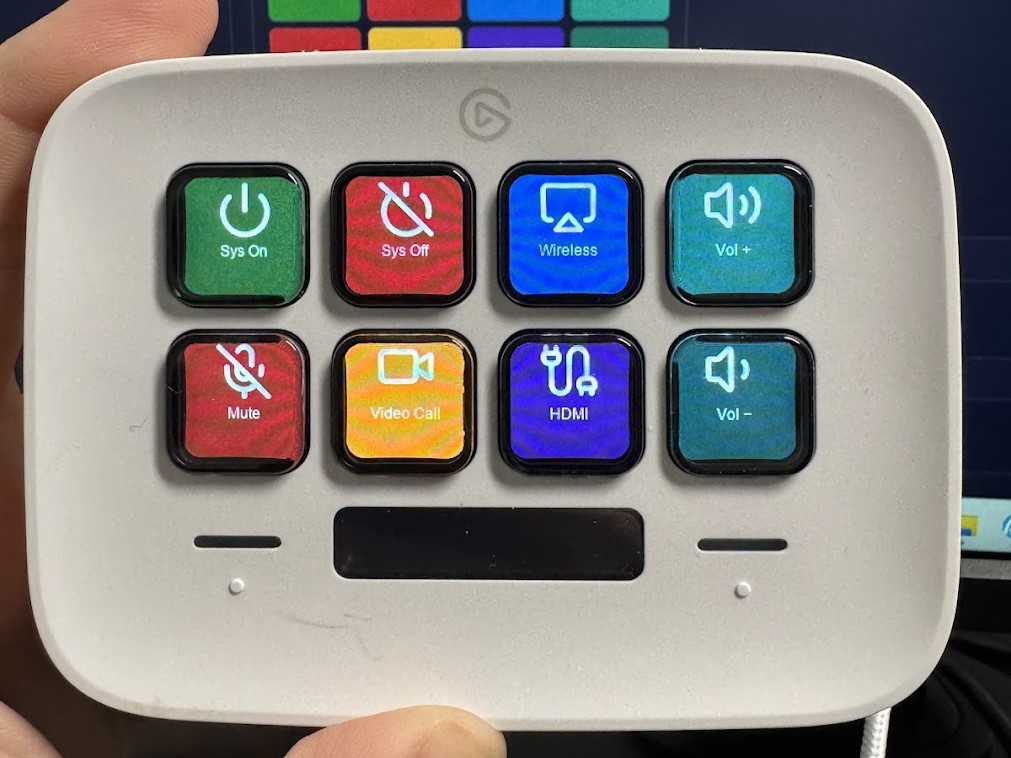
The Stream Deck plugin in action: physical buttons mapped to room macros, with per-key icons and live state. Click to enlarge.
| Category | Directory | Examples |
|---|---|---|
| Control Surfaces | control_surfaces/ |
Elgato Stream Deck, X-Keys, MIDI controllers |
| Integrations | integrations/ |
MQTT bridge, Dante DDM, Home Assistant, webhooks |
| Sensors | sensors/ |
Occupancy sensors, ambient light, temperature |
| Utility | utility/ |
Analytics export, voice control bridges |
Plugins can be installed directly from the OpenAVC Programmer IDE:
- Open the Plugins view in the sidebar
- Click the Browse tab
- Find the plugin you want and click Install
- Enable and configure the plugin in the Installed tab
See the Creating Plugins guide in the main repository.
For contribution guidelines, see Contributing Plugins.
If you use an AI coding assistant, point it to AGENTS.md in this repository. It contains the complete Plugin API, manifest format, and examples in a format optimized for LLM agents. Run python validate.py to check the result before submitting.
Run the validator before submitting a pull request:
python validate.py                               # Validate all plugins
python validate.py integrations/mqtt              # Validate a specific plugin
python validate.py --check-index # Also check index.json consistencyAll plugins in this repository are MIT licensed. See LICENSE for details.