Repository navigation
Home
A record of what you learned, an advanced Markdown notebook, and a task list — on your own disk.
No accounts. No subscriptions. No telemetry. No server.
English · Español
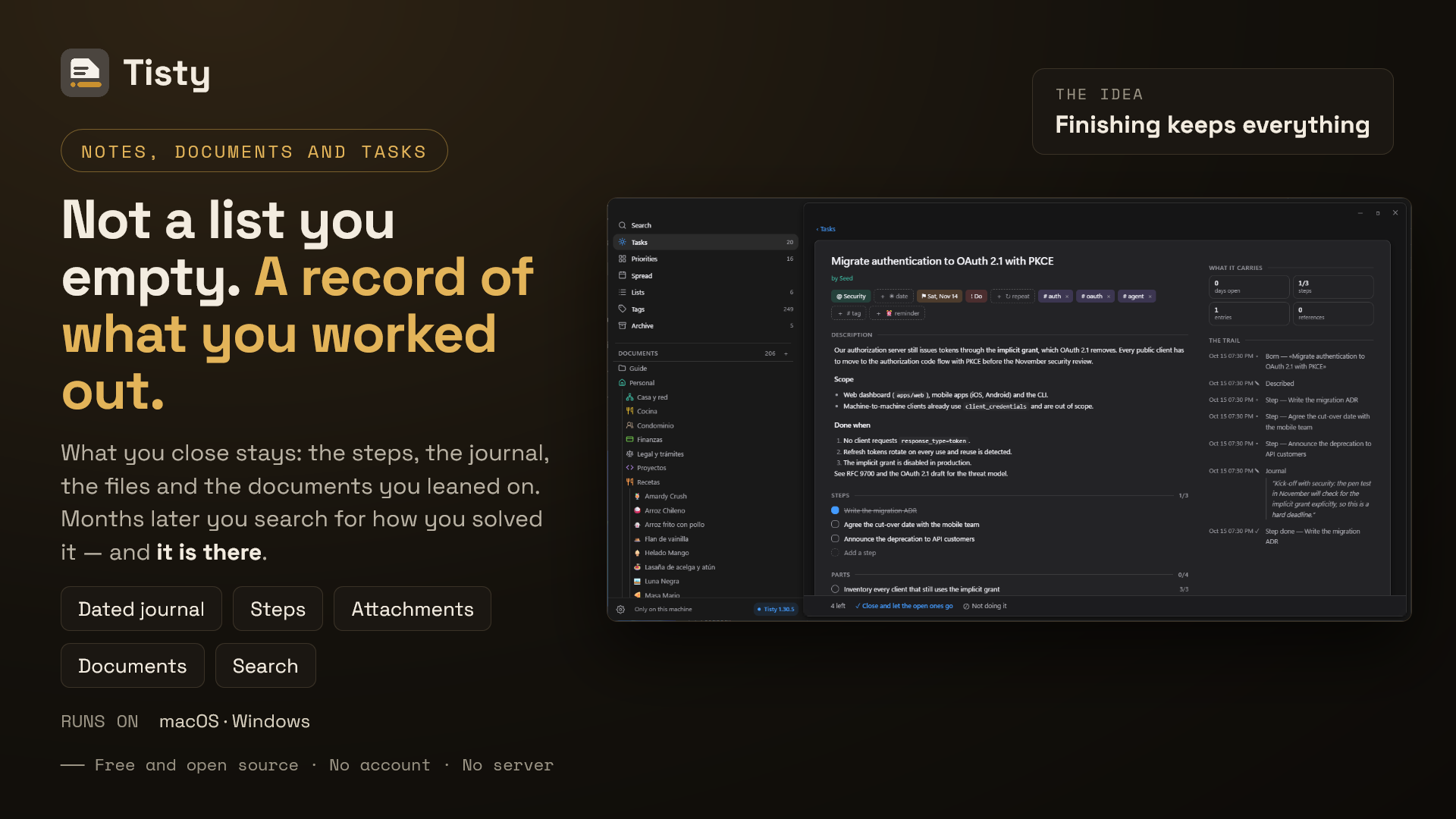
Tisty is not a to-do app you empty and forget. When you finish a task it moves to the archive with everything it gathered — the description, the journal, the steps, the files, the documents you leaned on — and search reaches all of it years later. How did I solve that last time? Tisty has it.
If you work with an assistant, Tisty opens an MCP door for it — on your machine, with no account and no network — and you decide what it may do.
Beside the tasks lives a Markdown notebook for what has no date, and it stays plain Markdown on your disk, readable by any other editor.
Something you will do is a task. Something you will come back to is a document. A task ends, often soon, and then stays in the archive as knowledge with a date: months later a search tells you how you solved it. A document — a manual, a recipe, the notes on a client or a machine, a year of minutes — is read again, corrected and added to for years.
A task is also a document, one with an end: that is why it has a page of its own, where a spike gathers what you read, tried and ruled out, the recording of the meeting and the vendor's PDF, before it is split into parts and done. The whole idea, with an example.
- Installation — Microsoft Store, Homebrew or a direct download.
- First steps — what Tisty asks the first time, and the guide it writes for you.
- Keyboard shortcuts
- Tasks — capture, views, the Eisenhower matrix, lists, tags, steps and parts.
- Natural language — what the capture bar understands.
- The spread and reminders — dealing work onto days.
- The archive — stories, routines and the trace.
Tisty has no AI inside, and none is coming. But it speaks MCP, so the assistant you already use — Claude Code, Codex, any MCP client — can file tasks and write documents here, on this machine, with no account and nothing over the network.
- Assistants and MCP — connecting one, and letting it in.
- What an assistant may do — the limits, its word on your own tasks, and To confirm.
- MCP tools reference — every tool the server offers.
Documents are a Markdown notebook beside the tasks: callouts, tables, diagrams, formulas, widgets, code and pages, all kept as plain .md files any other editor reads. How each one is written is in the Tisty Markdown guide; the pages here are about the app.
- Documents — folders, tags, attachments, import and export, and reading a Markdown file from outside.
-
The editor — writing where you read, the bar, the
/menu, tables and shortcuts. - Pages and PDF — a document in chapters, page breaks, and Tisty's own PDF.
- Widgets — a small page inside a document, sealed off from the network, and opening it apart.
- Tisty Markdown guide ↗ — every mark a document can hold, with its examples drawn.
- Sync and backup — two machines through a folder you already sync, or your Google Drive or OneDrive directly.
- Privacy — what is stored, and the few requests Tisty ever makes.
-
Command line — retired in 1.31; only
tisty mcp, the assistant's door, remains. - FAQ
Tisty is free and open source under the AGPL-3.0. The source, the issues and the releases are in the main repository, and its site is www.tisty.app. Everyone taking part — in issues, pull requests, discussions or this wiki — follows the Code of Conduct.