4. How to
Adding data sources
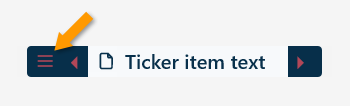
- Menu > Sources > Open Sources folder
- Create a text file. (e.g.) example.txt
- Open the file and add data sources. One source per line.
| Data Type | Example |
|---|---|
| Web feed | https://news.yahoo.com/rss |
| Date and Time | %#x %H:%M |
| Weather | 40.7766,-73.9701 |
| Local text file | C:\Users\Public\Documents\todo.txt |
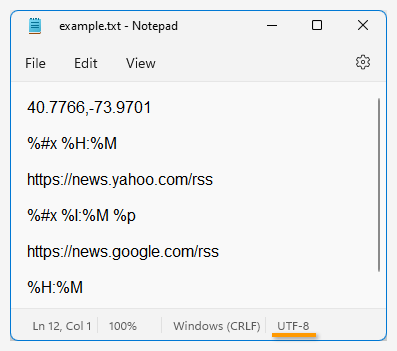
📗 Date and Time Format code
📍 Geographic coordinates for Weather: Google Maps Right-click on the map and copy the code.
- Save file then Menu > Sources > example ✔️
- Refresh skin

All data sources are saved as a text file in the Rainmeter\Skins\OneTicker\Sources\{file name}.txt.
Menu > Sources > Open Sources folder
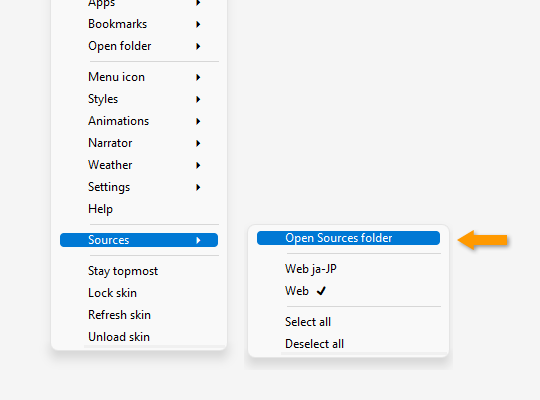
Adding Web feed URL
- Create a text file under the
OneTicker\Sources. example:News.txt
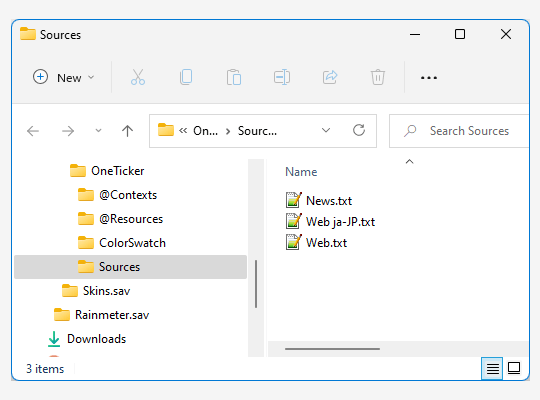
💡 File name must not contain any multibyte characters.
- Open the
News.txtthen add Web feed URL and save as UTF-8 encoded file.
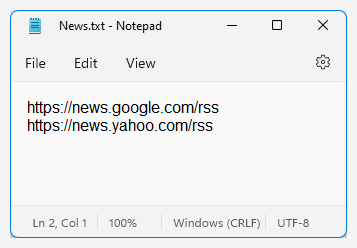
- You can also add Date and Time format code.
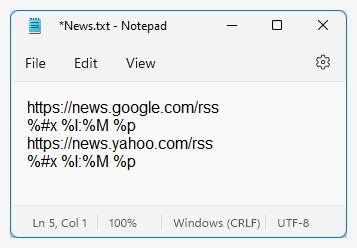
%#x %I:%M %pis a Time measure format code of Rainmeter.
In this case, output is something like thisTuesday, January 10, 2023 10:25 AM(depend on the language / locale)
💡 12-hour format:
%I:%M %p, 24-hour format:%H:%M. See 📗 Format code
-
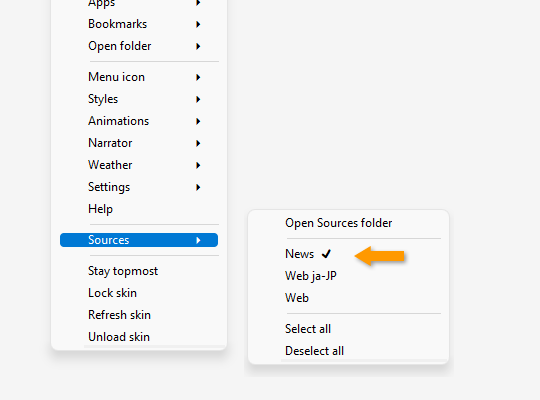
Menu > Sources > News ✔️
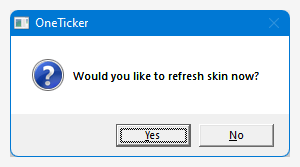
- If all your check or uncheck settings are finished, click Yes to refresh skin.
If you are using high resolution monitors like 2560x1440(WQHD), 3840x2160(4K), Rainmeter skin will be blurred by Windows automatic scaling. You also need to follow the steps for the skin be working as expected.
💡 If you are using Rainmeter legacy skins that don't have a scaling functionality it's self, they are displayed much smaller than expected skin size.
Excluding a Rainmeter.exe from Windows automatic scaling
- Browse to
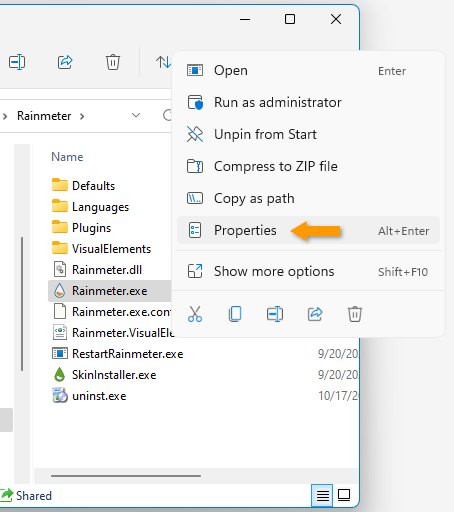
Rainmeter.exewith File Explorer. The default location of the Rainmeter installed.C:\Program Files\Rainmeter - Right click on the
Rainmeter.exeand click onPorperties
- Select
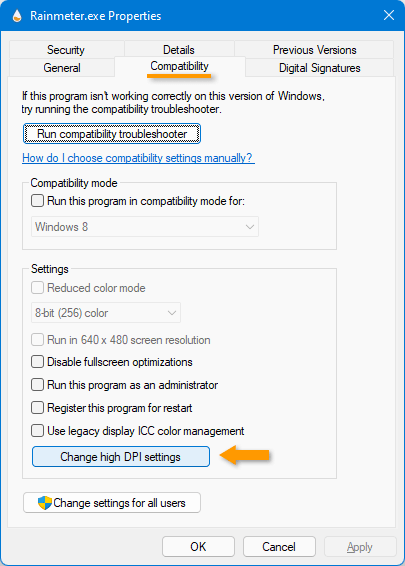
Compatibilitytab and click on theChange high DPI settings
- Check the
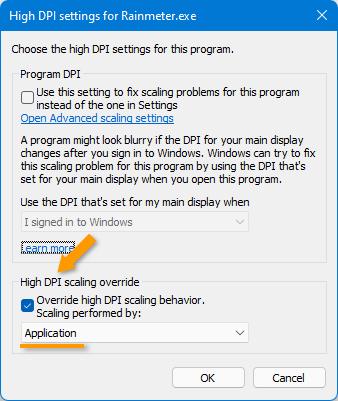
Override high DPI ...checkbox and click on the OK
- Right click on the
 icon on the notification area and click on
 Exit, then launch Rainmeter app again.
💡 You can change the skin scaling. Menu > Settings > Skin scaling >
